

Futures Trading
Futures trading on Amabit lets you trade perpetual contracts with leverage, allowing you to amplify your positions and trade in both directions (long and short).
What Are Futures?
Unlike spot trading where you buy actual cryptocurrency, futures trading involves perpetual contracts — agreements to buy or sell at a future price. Key differences from spot:
- Leverage — Trade with up to 125x your capital
- Short selling — Profit from falling prices
- Margin — Only a fraction of the position value is required
- Funding rate — Periodic payments between long and short holders
- Liquidation — Positions can be forcibly closed if margin drops too low
Futures Terminal Overview
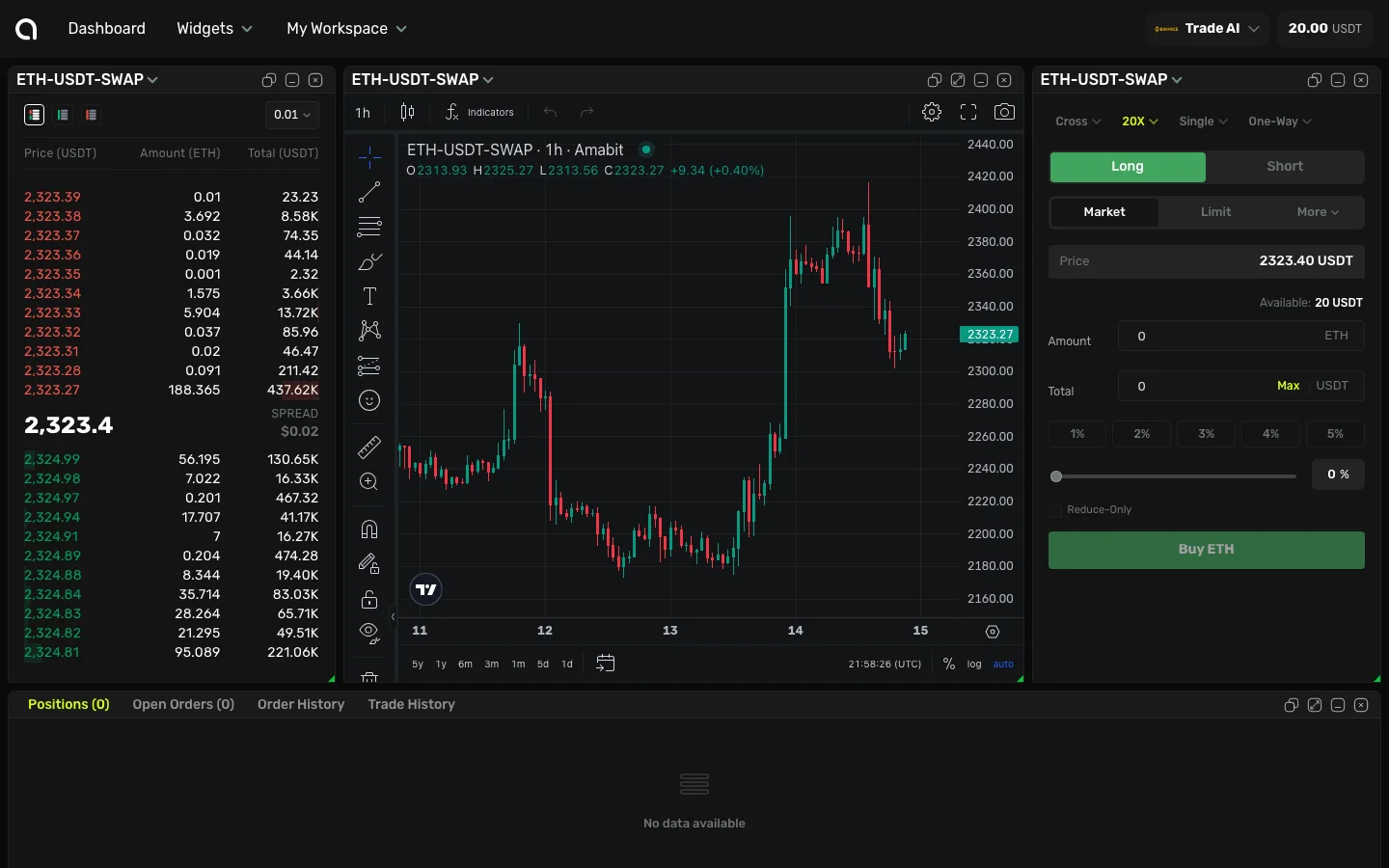
The futures terminal has additional controls at the top of the order form: Margin Mode, Leverage, Asset Mode, and Position Mode (hedge/one-way). These are explained below.
Leverage Settings
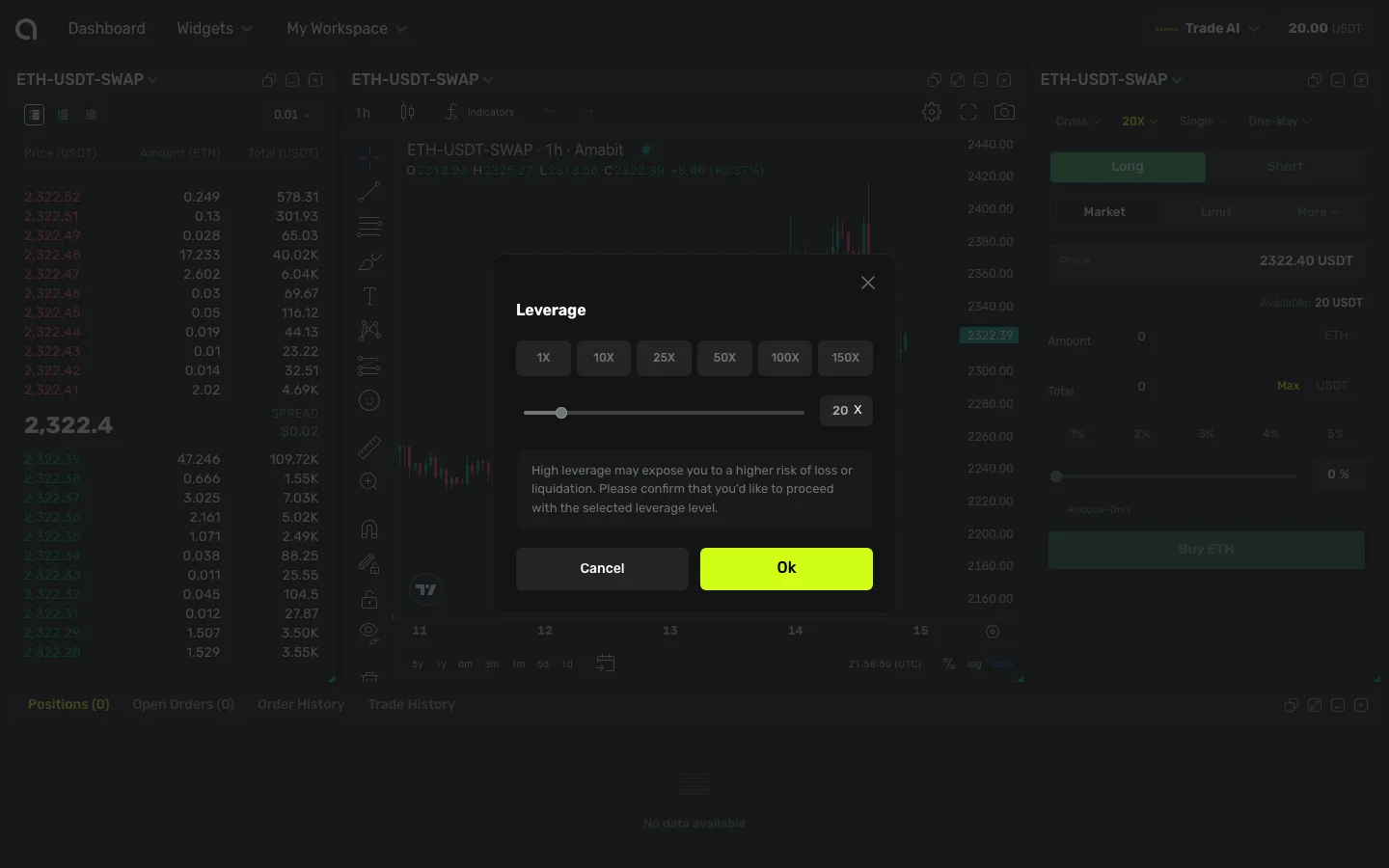
Leverage multiplies both your potential profit and risk.
- Click the leverage button at the top of the order form (e.g., "20X")
- In the dialog, use the slider or click a preset button (10X, 25X, 50X, etc.)
- Click OK to confirm
Warning
Higher leverage means higher risk. A 100x leveraged position can be liquidated by a 1% price move against you. Start with low leverage if you are new to futures trading.
Margin Modes
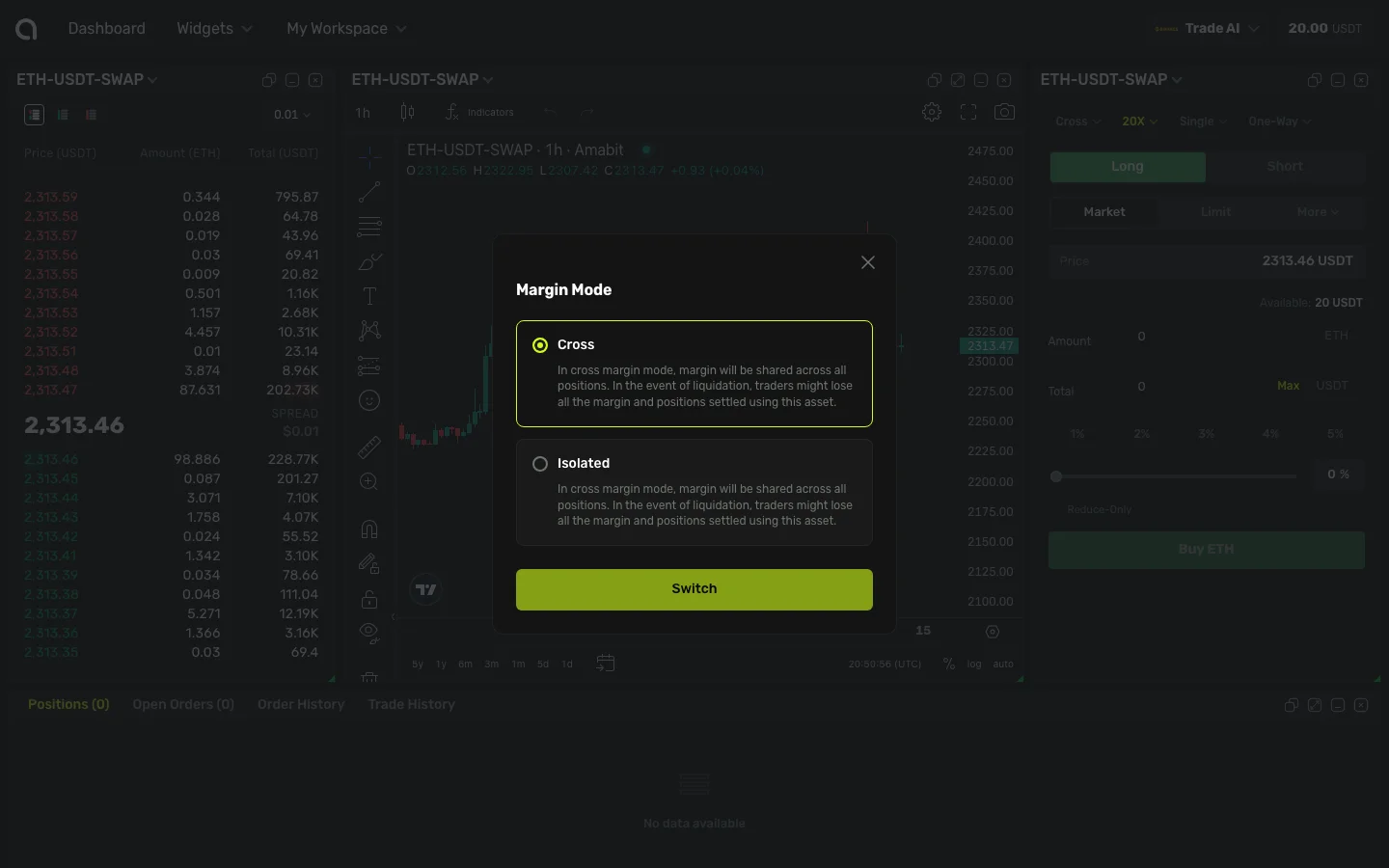
Amabit supports two margin modes for futures:
Cross Margin
- Shared margin — Your entire account balance is used as margin for all positions
- Lower liquidation risk — More margin available to absorb losses
- Risk spreads — A loss on one position can affect all other positions
Isolated Margin
- Separate margin — Each position has its own dedicated margin
- Controlled risk — A liquidation on one position does not affect others
- Limited loss — Maximum loss is limited to the margin allocated to that position
To switch between Cross and Isolated:
- Click the margin mode selector in the order form
- Choose Cross or Isolated
- Confirm
Position Modes
One-Way Mode
In one-way mode, you can only hold one direction at a time per trading pair:
- Opening a long position while holding a short position will reduce or close the short
- Simpler to manage, suitable for most traders
Hedge Mode
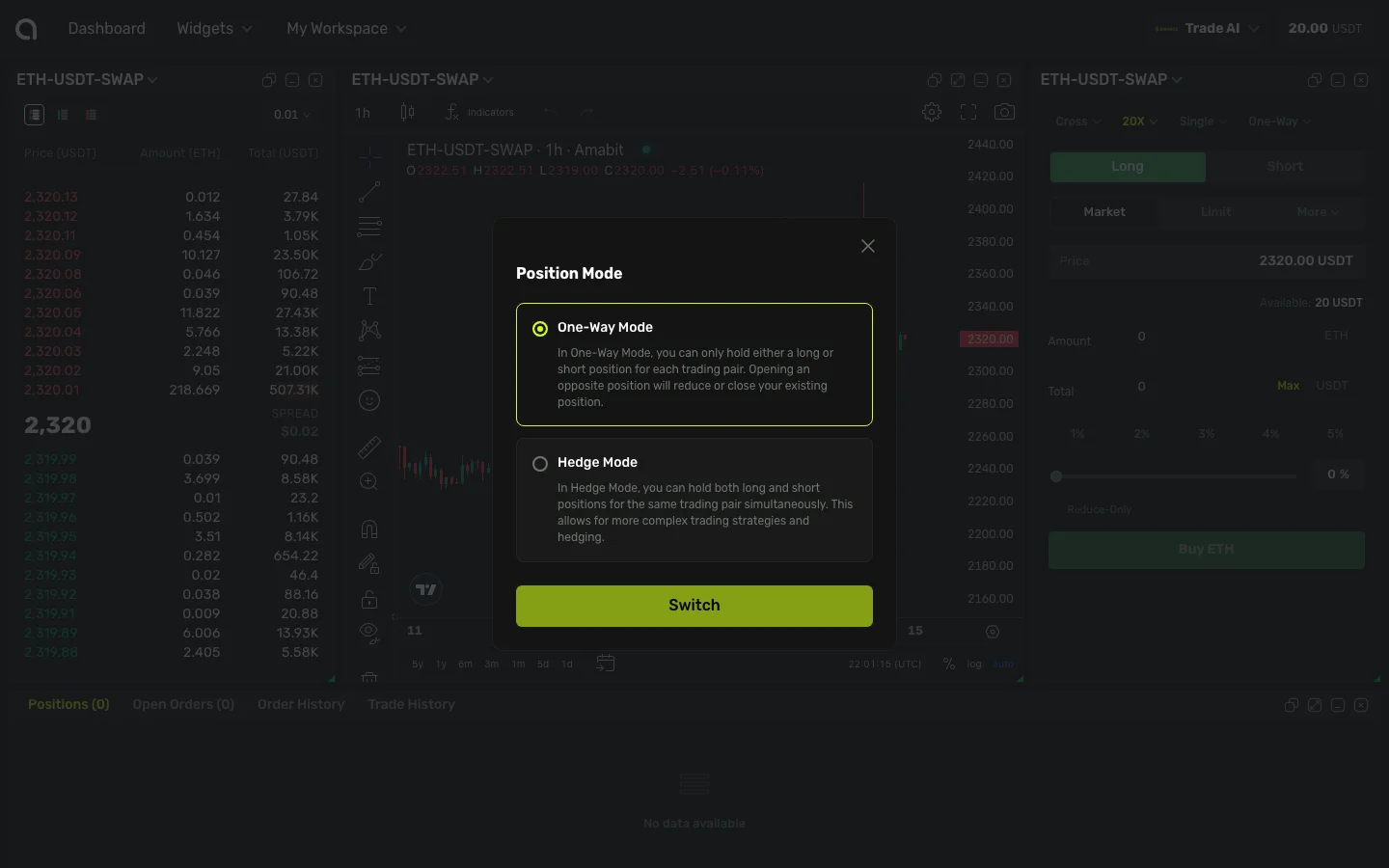
In hedge mode, you can hold both long and short positions simultaneously on the same pair:
- Allows independent management of long and short positions
- Useful for hedging strategies
- Must specify position side (LONG or SHORT) when placing orders
To switch between modes:
- Click the position mode toggle (available in terminal settings)
- Select One-Way or Hedge Mode
- Confirm
WARNING
You can only switch position modes when you have no open positions or pending orders on the selected pair.
Multi-Asset Mode
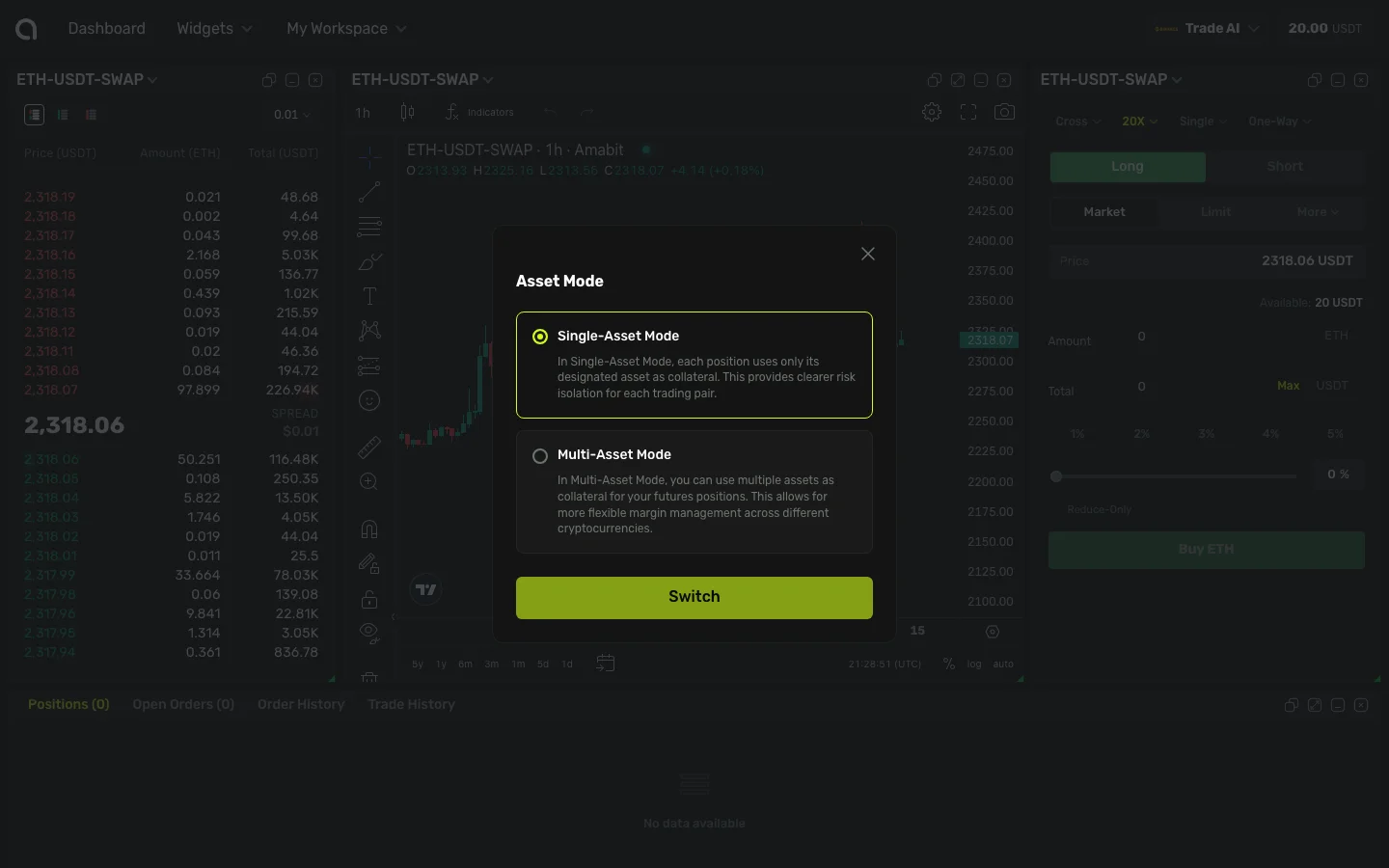
For supported accounts, multi-asset mode allows you to use multiple currencies as margin for your futures positions, not just USDT. Click the Asset Mode button at the top of the order form to switch between Single and Multi-Asset modes.
Order Types for Futures
All order types from Spot Trading are available, plus:
- Reduce-Only — Ensures the order only reduces an existing position, never opens a new one
- Position side selection (Hedge Mode only) — Choose LONG or SHORT when placing orders
Managing Futures Positions
Open positions show:
- Entry price and current price
- Unrealized P&L (profit/loss)
- Margin used and liquidation price
- Leverage level
- Position size
You can:
- Close a position partially or fully
- Add/reduce margin for isolated positions
- Set TP/SL on existing positions → TP/SL guide
FAQ
What is the funding rate?
The funding rate is a periodic payment exchanged between long and short holders. If positive, longs pay shorts; if negative, shorts pay longs. It keeps the futures price close to the spot price.
What happens when I get liquidated?
If your margin drops below the maintenance margin, your position is forcibly closed (liquidated) at the current market price. With isolated margin, only the margin for that position is lost. With cross margin, your entire account balance may be affected.