

Internal Transfers
Amabit allows you to transfer funds between your own sub-accounts instantly.
How to Transfer
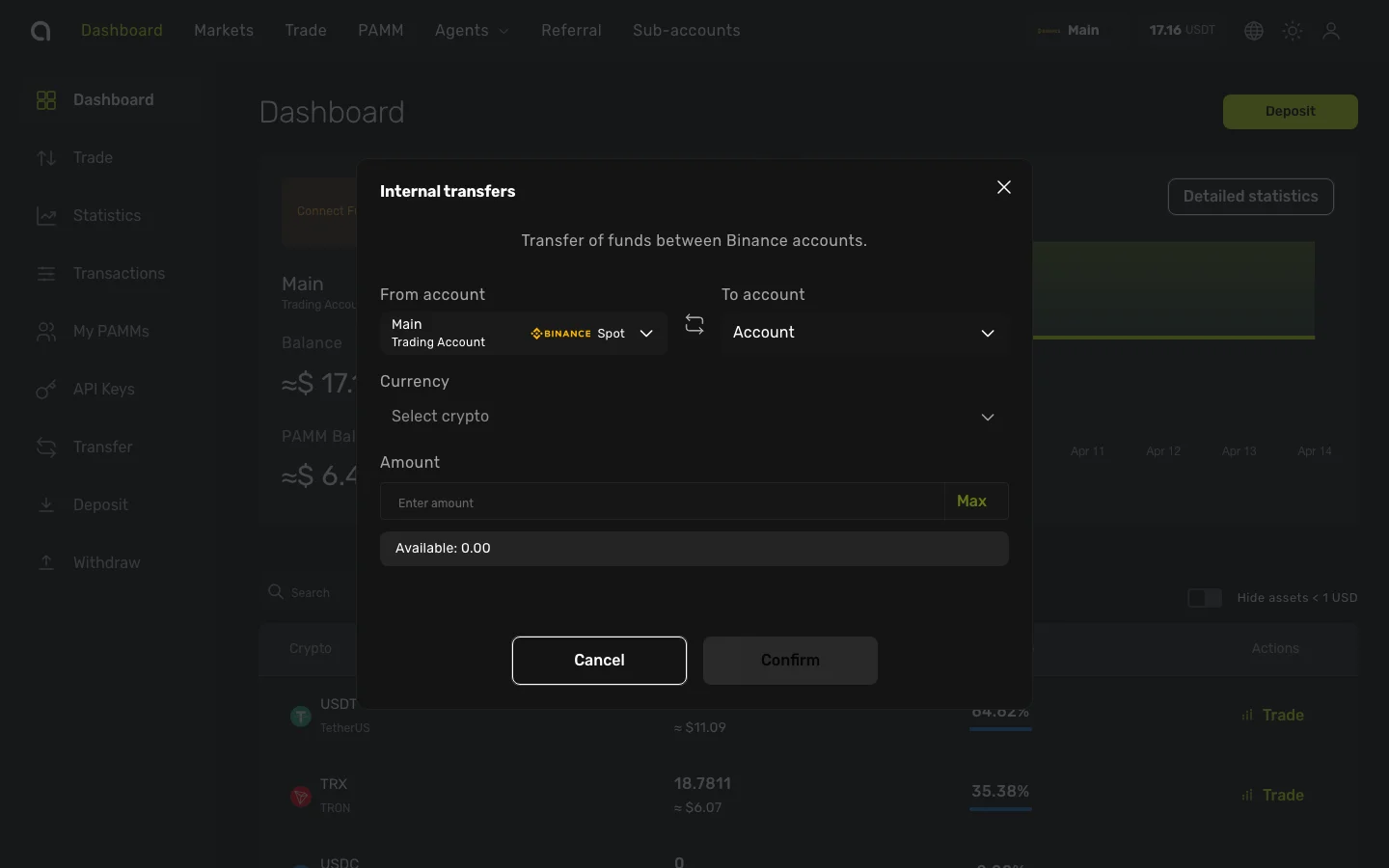
- Open the Account Dashboard for any of your accounts
- Click Transfer in the left sidebar
- In the Internal Transfers dialog:
- From account — The account to send funds from (pre-selected to your current account)
- To account — Select the destination account from the dropdown
- Currency — Select the crypto to transfer (e.g., USDT)
- Amount — Enter the amount to transfer (click Max to use the full available balance)
- Click Confirm to complete the transfer
The funds appear in the destination account immediately.
When to Use Internal Transfers
- Fund a new sub-account — Move funds from your main account to a newly created account
- Rebalance between strategies — Shift capital between accounts used for different trading approaches
- Separate Spot and Futures — Move funds between a Spot account and a Futures account
Notes
- Transfers are only available between accounts belonging to your own profile
- The available balance shown accounts for any open positions or pending orders
- Transfer history is visible in your transaction history