

OCO Orders
OCO (One-Cancels-the-Other) is an order type where two orders are placed simultaneously, and when one is executed, the other is automatically cancelled.
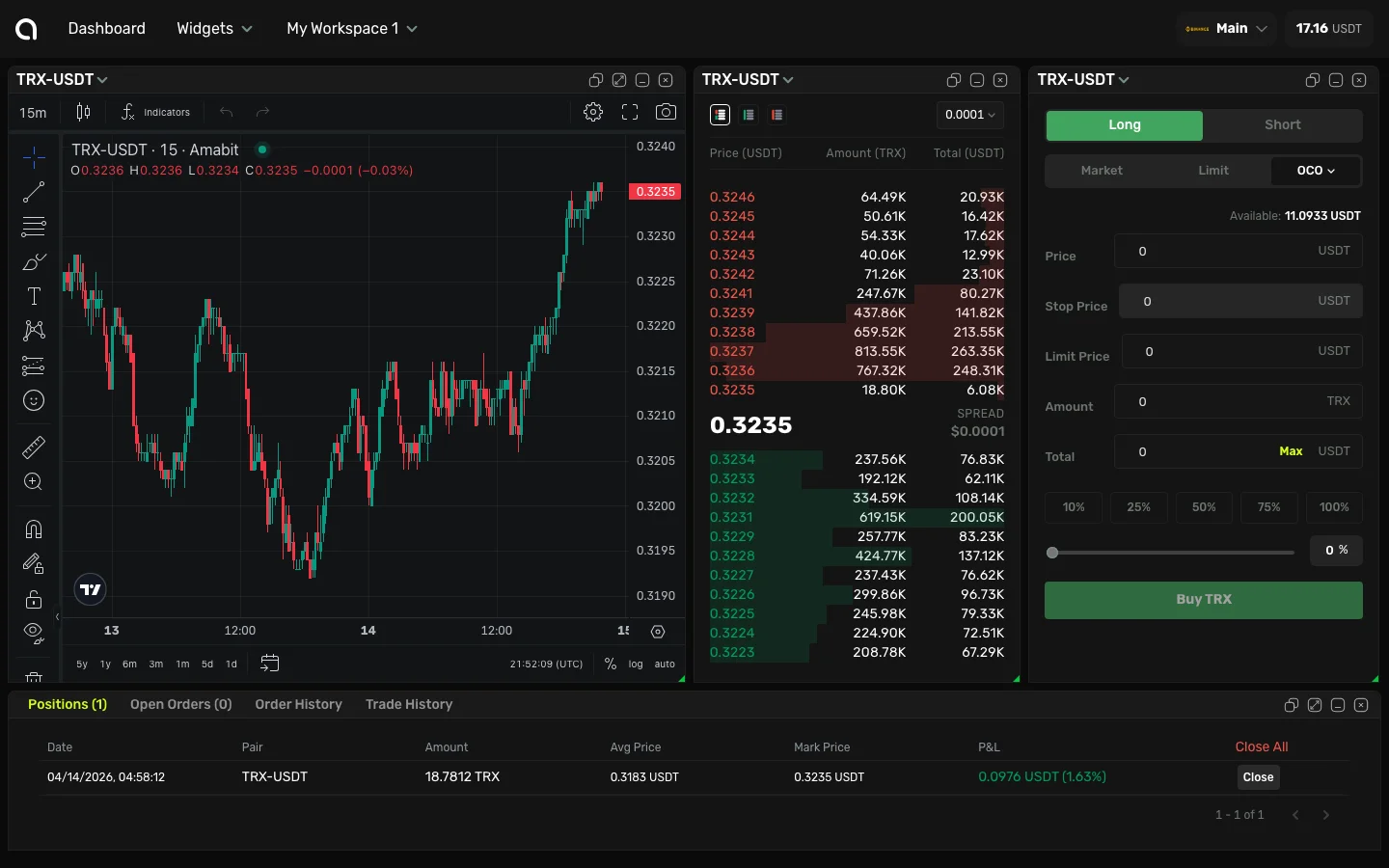
How OCO Works
An OCO order pairs a limit order and a stop order together:
- Limit order — Takes profit when the price reaches your target
- Stop order — Cuts loss when the price drops to your stop level
When either order fills, the other is automatically cancelled. This way you don't need to manually manage both orders.
Example
You bought BTC at $60,000 and want to:
- Take profit if price reaches $65,000
- Stop loss if price drops to $58,000
An OCO order places both simultaneously. If BTC hits $65,000, the take-profit fills and the stop-loss is cancelled. If BTC drops to $58,000, the stop-loss fills and the take-profit is cancelled.
Placing an OCO Order
- Select OCO in the order type selector
- Set the limit price (take-profit target)
- Set the stop price (stop-loss trigger)
- Set the stop-limit price (optional — the limit price after trigger)
- Enter the amount
- Click Buy or Sell
When to Use OCO
- After opening a position — Set both your profit target and protective stop simultaneously
- Breakout trading — Set a buy-stop above resistance and a sell-stop below support
- Risk management — Ensure you always have a stop-loss in place alongside your take-profit
OCO vs Multi-Level TP/SL
| Feature | OCO | Multi-Level TP/SL |
|---|---|---|
| Number of targets | 1 TP + 1 SL | Up to 5 TP + 5 SL |
| Partial closes | No | Yes |
| Complexity | Simpler | More flexible |
| Best for | Simple risk management | Advanced position management |
For most cases, the multi-level TP/SL system provides more flexibility. OCO is useful for quick, straightforward bracket orders.