

Transaction History
The Transactions page shows all activity for a specific account — deposits, withdrawals, orders, and trades. Access it from the account sidebar by clicking Transactions.
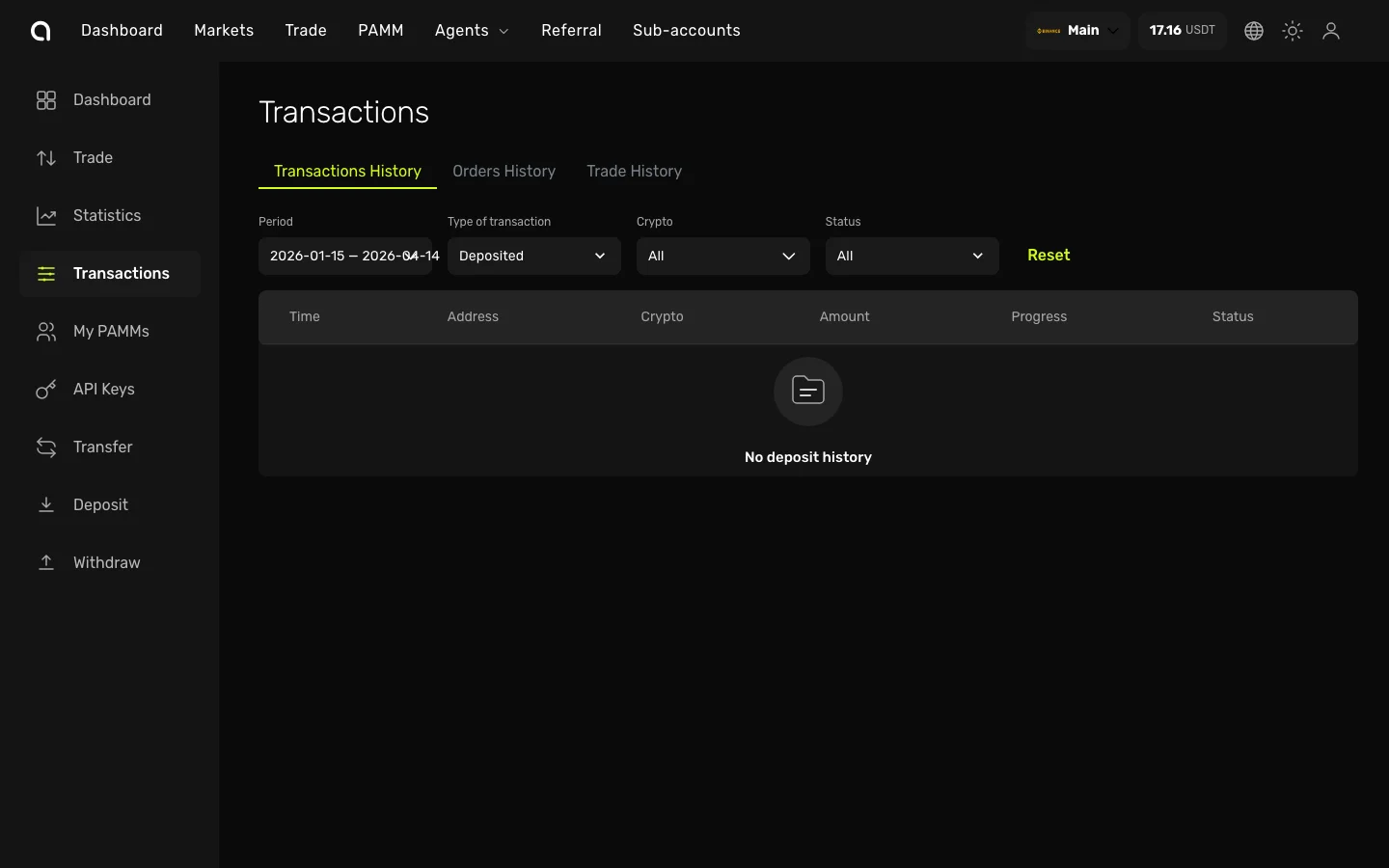
Tabs
The page has three tabs:
Transactions History
Shows deposit and withdrawal activity:
| Column | Description |
|---|---|
| Time | When the transaction occurred |
| Address | Deposit source or withdrawal destination address |
| Crypto | Which cryptocurrency |
| Amount | Transaction amount |
| Progress | Blockchain confirmation progress |
| Status | Current status (Pending, Confirming, Complete, etc.) |
Orders History
Shows all placed orders — filled, partially filled, and cancelled.
Trade History
Shows every individual trade execution (fills) with prices, quantities, and fees.
Filtering
Each tab supports filters to narrow down the results:
- Period — Select a date range
- Type of transaction — Deposited, Withdrawn, or All
- Crypto — Filter by specific cryptocurrency
- Status — Filter by transaction status
Click Reset to clear all filters and show everything.