

Security Settings
The Security page gives you full control over your account's safety. To access it, log in at amabit.io, click your profile icon in the top-right corner, and select Security — or go directly to amabit.io/security.
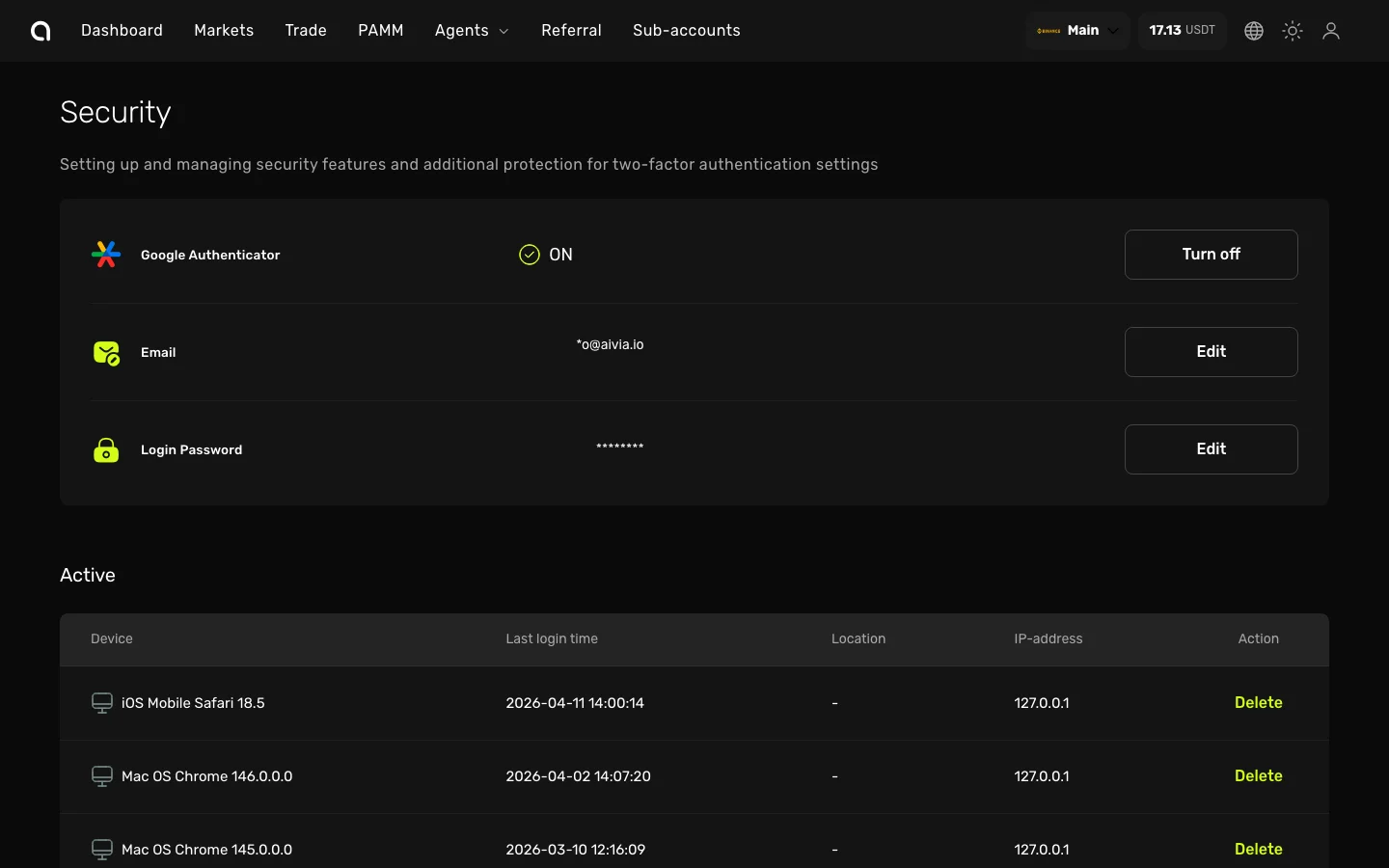
Two-Factor Authentication (2FA)
At the top of the Security page you will see the Google Authenticator row. This shows whether 2FA is currently enabled or disabled on your account.
- To enable 2FA — Click Turn on and follow the setup steps. Detailed 2FA setup guide →
- To disable 2FA — Click Turn off and enter your current 6-digit authenticator code to confirm
TIP
We strongly recommend keeping 2FA enabled at all times. It is required for withdrawals, API key management, and webhook configuration.
Email
The Email row displays your registered email address. This is the email used for login, verification codes, and all account notifications.
Login Password
The Login Password row lets you change your account password. Click Edit to update it.
Active Sessions
The Active section below shows all devices and browsers currently logged in to your account. For each session you can see:
| Column | Description |
|---|---|
| Device | Browser name and version (e.g., "Chrome 148.0.0.0") |
| Last login time | Date and time of the most recent activity |
| IP | IP address of the session |
| Actions | Delete button to revoke this session |
To log out a specific device, click the Delete button next to that session. This is useful if:
- You see a session you don't recognize
- You lost a device or it was stolen
- You want to log out of a public or shared computer
Login History
Below Active Sessions, you can view your full Login History — a log of all login attempts including:
- Date and time
- Device and browser used
- IP address
- Whether the login was successful or failed
Review your login history regularly to spot any unauthorized access attempts.
Best Practices
- Always keep 2FA enabled — It is the single most important security step
- Review active sessions weekly — Revoke any sessions you don't recognize
- Use a strong, unique password — Don't reuse passwords from other platforms
- Be cautious with API keys — Always use IP allowlists and minimal permissions
- Check login history — If you see unfamiliar IPs or devices, change your password immediately