

How to Create an Amabit Account
Creating an Amabit account is free and takes less than a minute. You can sign up using your email address or through Telegram.
Email Registration
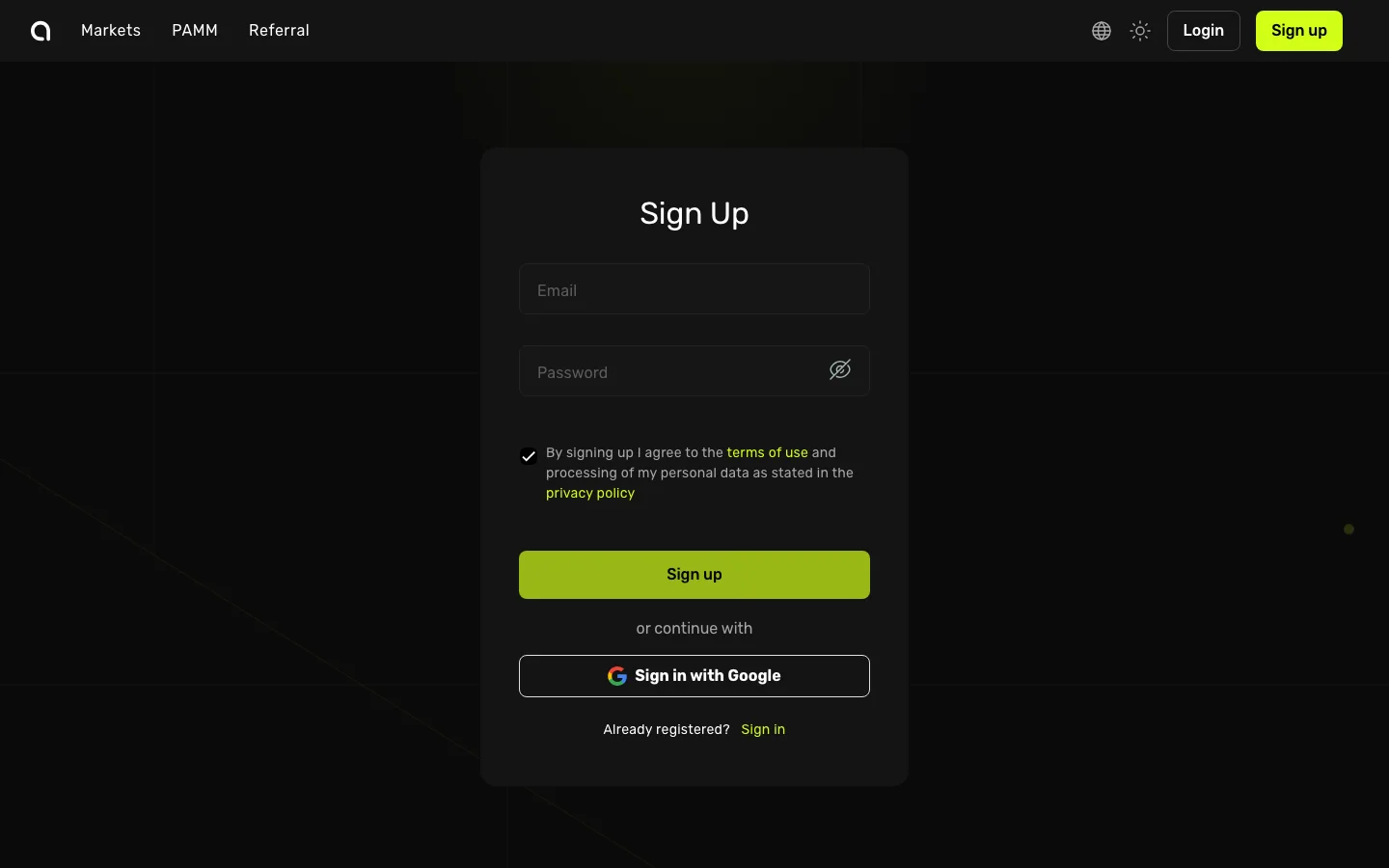
- Open the Amabit Sign Up page in your browser
- In the Email field, enter your email address — make sure it's valid and you have access to it
- In the Password field, create a strong password (use a mix of uppercase letters, lowercase letters, numbers, and symbols)
- If someone referred you, click I have a referral code and enter their code
- Check the box to agree to the Terms of Use and Privacy Policy
- Complete the security check (Turnstile CAPTCHA)
- Click the green Sign up button
You will be redirected to a confirmation page. Check your inbox for a verification email from Amabit and follow the instructions in Email Verification →.
Alternative: Sign in with Google
You can also click Sign in with Google to register instantly using your Google account — no password needed.
Alternative: Telegram Registration
If you prefer, you can create your account through the Amabit Telegram bot for a faster experience. See the Telegram Login guide →.
What to Do After Registration
Once your account is created and your email is verified, follow these steps:
- Enable Two-Factor Authentication (2FA) — Strongly recommended to protect your account
- Complete KYC verification — Required before you can start trading
- Deposit funds — Add cryptocurrency to your account
- Open the Trading Terminal — Place your first trade
FAQ
Can I create multiple accounts?
Each email address can only be associated with one Amabit account. However, within your account you can create multiple sub-accounts for different trading strategies or account types. Learn about sub-accounts →
What information is required to sign up?
Only an email address and password are needed for initial registration. Full identity verification (KYC) is required separately before you can trade.
I didn't receive the verification email
Check your spam/junk folder first. If the email still hasn't arrived after a few minutes, you can request a new one from the confirmation page. See Email Verification → for troubleshooting.