

Managing Positions & Orders
The terminal provides full control over your active positions and pending orders through dedicated tabs at the bottom of the screen.
Open Positions
The Positions tab shows all your active positions with:
| Column | Description |
|---|---|
| Symbol | Trading pair (e.g., BTC/USDT) |
| Size | Position size in base currency |
| Entry Price | Average entry price |
| Mark Price | Current market price |
| PnL | Unrealized profit or loss (amount and %) |
| Margin | Margin used (futures only) |
| Liq. Price | Liquidation price (futures only) |
| TP/SL | Current TP/SL levels if set |
Closing a Position
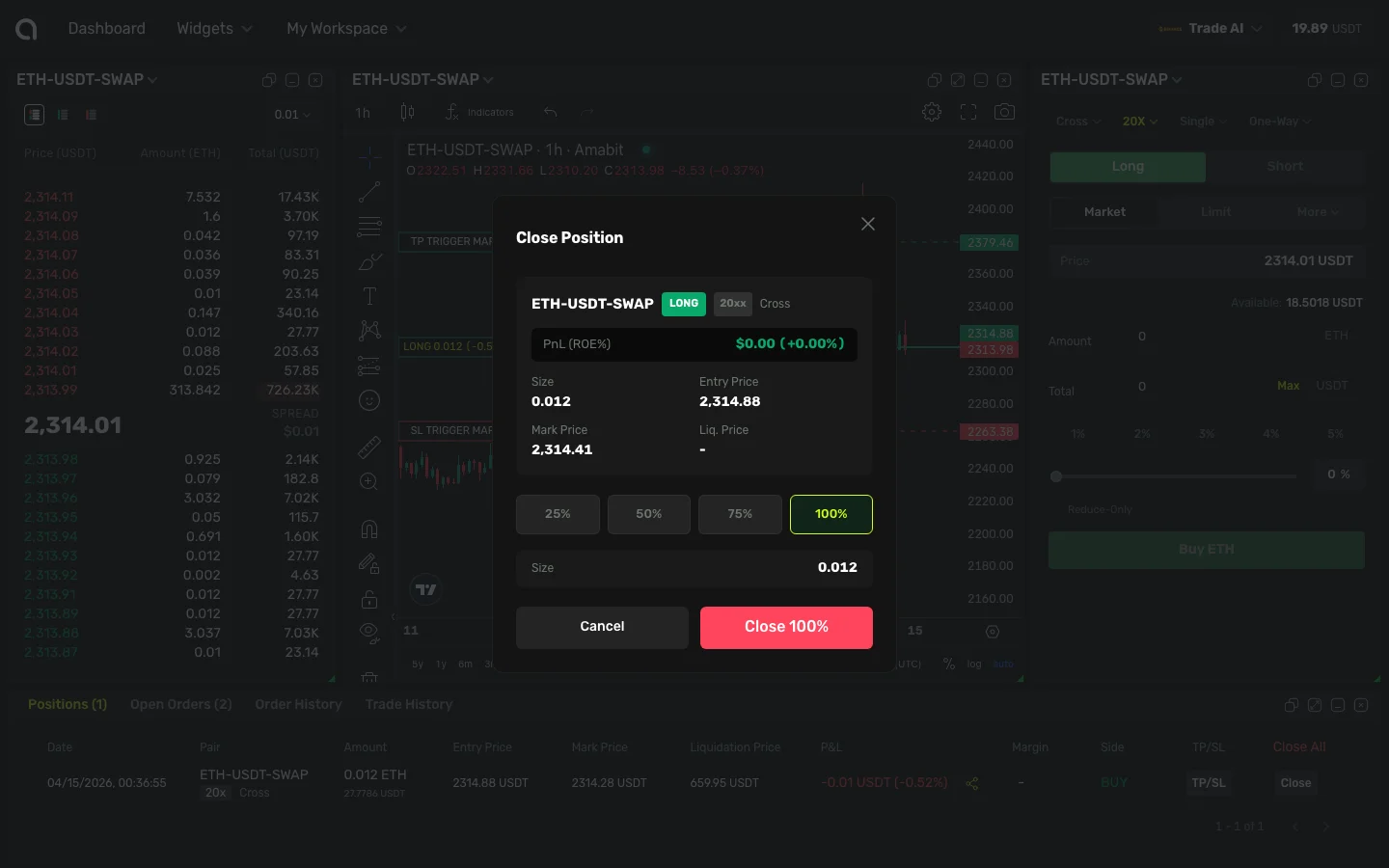
Click the Close button next to a position. The Close Position dialog opens, showing:
- Position details: symbol, side (LONG/SHORT), leverage, margin mode
- Current PnL in USD and percentage
- Size, Entry Price, Mark Price, and Liquidation Price
- Percentage buttons (25%, 50%, 75%, 100%) — choose how much of the position to close
- Click Close [%] to execute at market price, or Cancel to go back
Modifying TP/SL
Click the TP/SL button on any position to add or modify take-profit and stop-loss levels. TP/SL guide →
Open Orders
The Open Orders tab shows all pending orders that haven't been executed yet:
- Order type (Limit, Stop-Market, Stop-Limit)
- Price and amount
- Filled amount (for partially filled orders)
- Time placed
Cancelling Orders
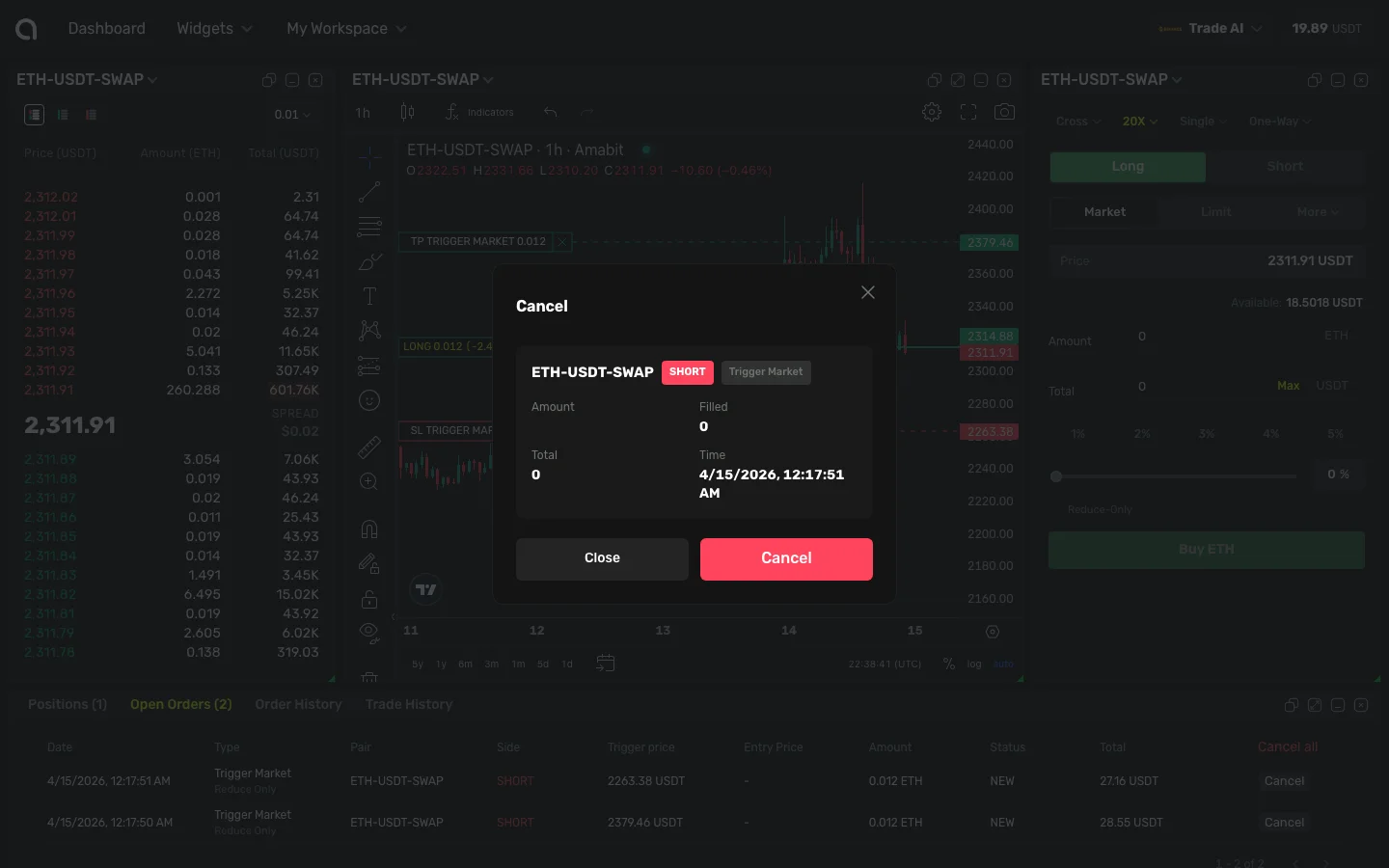
- Cancel one — Click the Cancel button next to a specific order. A confirmation dialog opens showing order details (symbol, side, type, price, amount, time). Click Cancel to confirm or Close to go back.
- Cancel all — Use the Cancel All button in the header to cancel all pending orders at once (no confirmation dialog)
Order History
The Order History tab shows completed and cancelled orders with:
- Execution price and amount
- Fill percentage
- Status (Filled, Partially Filled, Cancelled)
- Timestamp
Trade History
The Trade History tab shows every individual fill (execution):
- Trade price and quantity
- Fee paid
- Direction (Buy/Sell)
- Timestamp
This is more granular than Order History — a single order may produce multiple trades if it fills in parts.