

Trading Terminal Overview
The Amabit Trading Terminal is a professional-grade interface for cryptocurrency trading, powered by Binance liquidity. It features TradingView charts, advanced order types, and a fully customizable layout.
Accessing the Terminal
Click Trade in the main navigation or sidebar, or go directly to amabit.io/trade. The terminal opens in full-screen mode with all trading widgets.
Terminal Interface
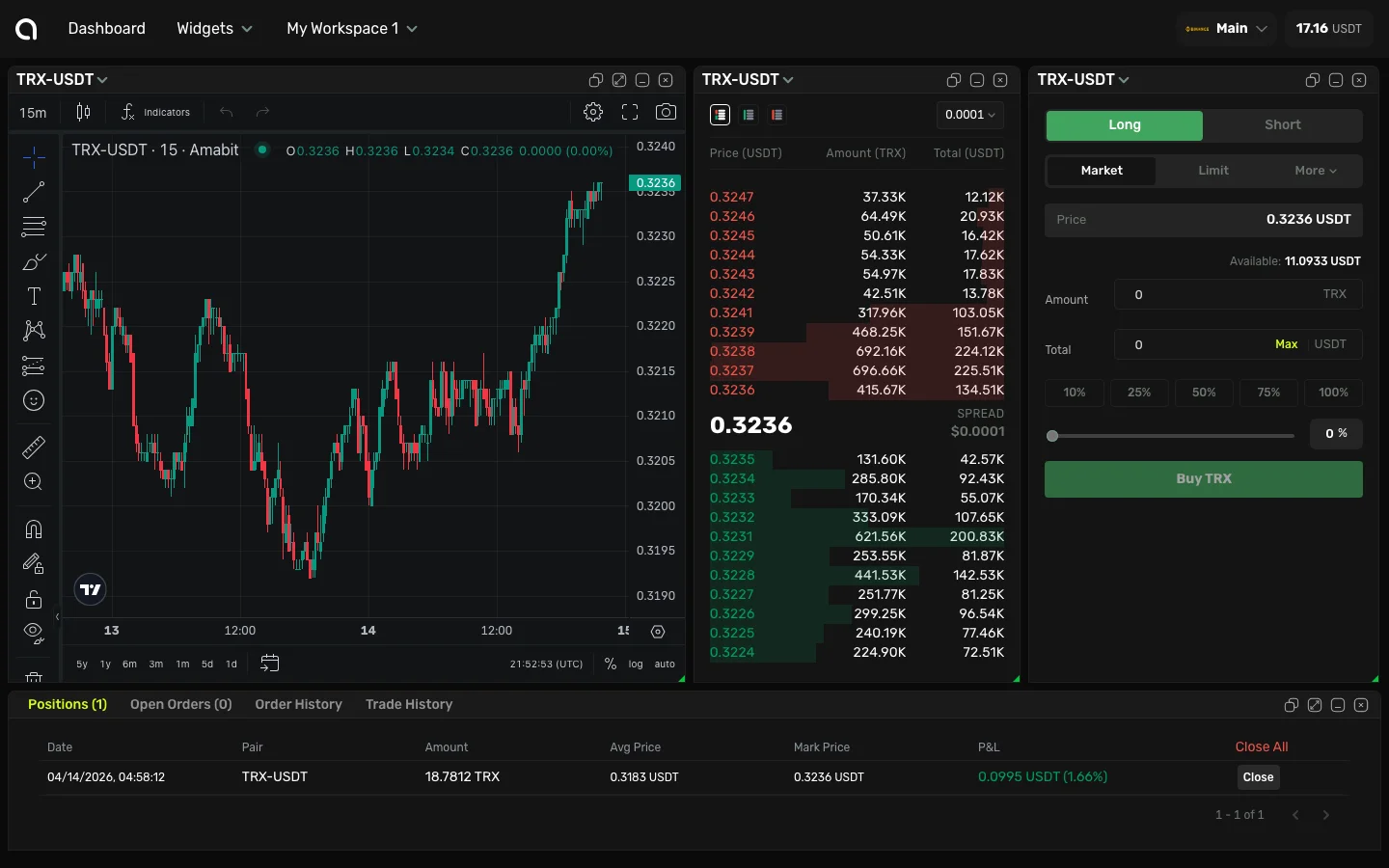
The terminal consists of several widgets that you can arrange and customize:
Chart Widget
- TradingView-powered charts with 100+ technical indicators
- Multiple chart types: candlestick, line, area, Heikin-Ashi, and more
- Drawing tools: trend lines, fibonacci, support/resistance, and more
- Multiple timeframes: from 1 minute to 1 month
- Real-time price updates
Order Form Widget
Where you place your trades. Supports:
- Market orders — Execute instantly at the current market price
- Limit orders — Set your target price and wait for execution
- Stop orders — Stop-Market and Stop-Limit orders for risk management
- TP/SL — Add Take-Profit and Stop-Loss to any order
Spot trading guide → | Futures trading guide →
Order Book Widget
Displays real-time buy and sell orders at different price levels, showing market depth and liquidity.
Positions & Orders
- Open Positions — Your current active positions with P&L
- Open Orders — Pending orders waiting for execution
- Order History — Completed and cancelled orders
- Trade History — All executed trades
Markets Info Widget
Real-time market data for the selected trading pair:
- Current price and 24h change
- 24h high, low, and volume
- Mark price and funding rate (futures)
Selecting a Trading Pair
- Click the symbol selector at the top of the terminal
- Search for a pair (e.g., "BTC", "ETH/USDT")
- Click the pair to switch the terminal to it
- All widgets update to show data for the selected pair
Spot vs Futures
The terminal supports both market types:
| Feature | Spot | Futures |
|---|---|---|
| What you trade | Actual crypto assets | Perpetual contracts |
| Leverage | 1x (no leverage) | Up to 125x |
| Short selling | Not available | Available |
| Margin | Not applicable | Cross or Isolated |
| Funding rate | No | Yes |
Select the market type when creating your sub-account, or switch between Spot and Futures accounts.
Desktop vs Mobile
- Desktop — Full multi-widget layout with customizable arrangement
- Mobile — Optimized single-column layout with swipeable widgets, bottom tab navigation, and quick order form