

Share Trading Results
Amabit lets you create visually appealing cards of your open positions and share them on social media or save them as images. This is a great way to showcase your trades or share results with your community.
How to Share a Position
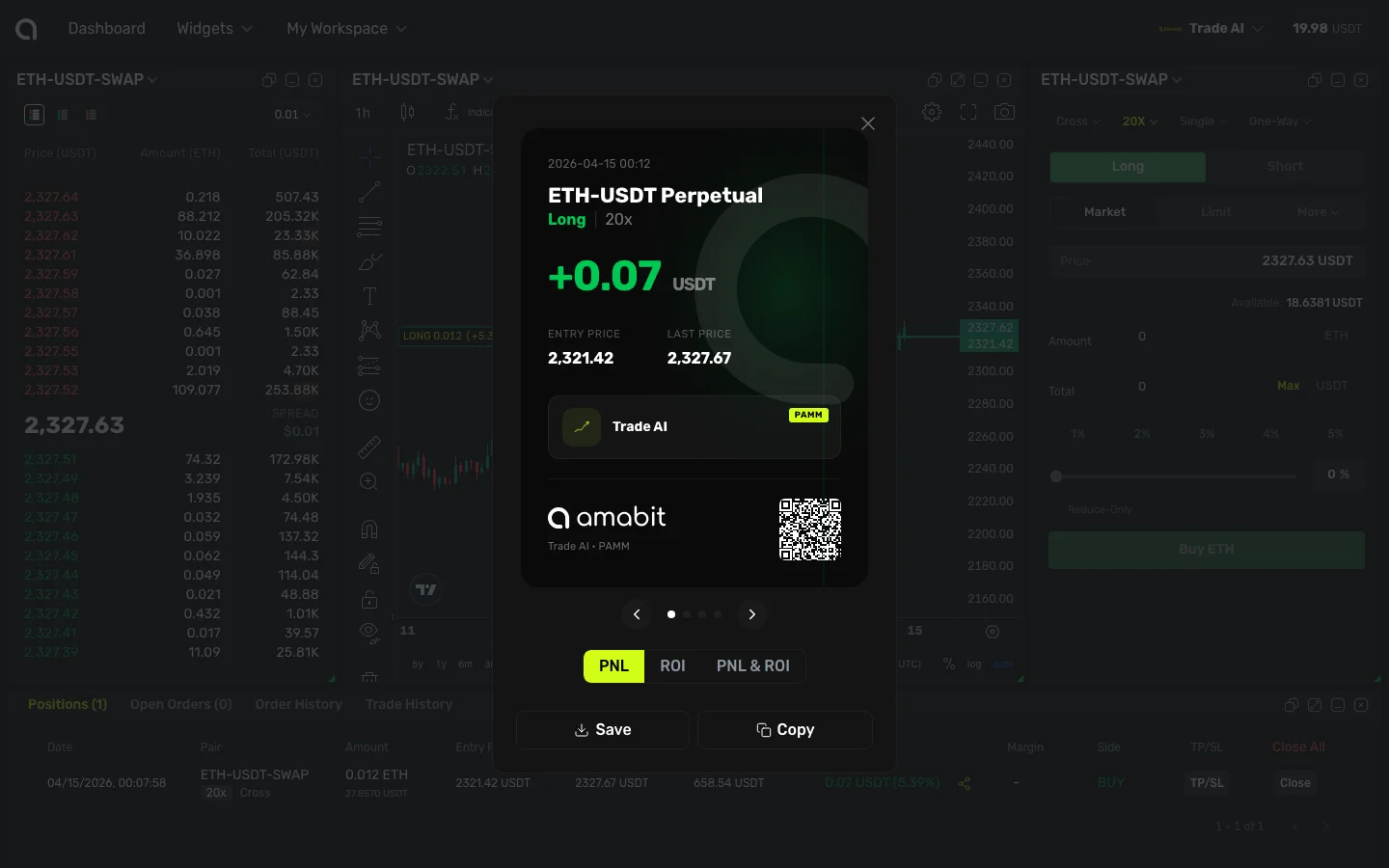
- Open the Trading Terminal and go to the Positions tab at the bottom
- Find the position you want to share
- Click the share icon (next to the P&L value in the position row)
- The Share Position dialog opens with a preview of your position card
Position Card
The share card displays:
- Trading pair — e.g., "ETH-USDT Perpetual"
- Position side and leverage — "Long 20x" or "Short 10x" badge
- Profit/Loss — Your current P&L in USDT (green for profit, red for loss)
- Entry Price and Mark Price — Your entry and the current market price
- Account name — The account used for this trade
- Amabit branding — Logo and QR code linking to the platform
Card Styles
At the bottom of the card, you can switch between different display modes:
| Tab | What It Shows |
|---|---|
| PNL | Profit and loss in absolute value (USDT) |
| ROI | Return on investment as a percentage |
| PNL & ROI | Both values displayed together |
Click a tab to change the card style — the preview updates instantly.
Sharing Options
Below the card, you have two actions:
- Save — Download the card as an image to your device
- Copy — Copy the card image to your clipboard, ready to paste into any chat, social media post, or message
You can then share the saved or copied image on:
- Telegram groups and channels
- X (Twitter) posts
- Discord servers
- Trading communities and forums
- Or anywhere else you can paste an image