

Statistics & Sharing
Every PAMM account has a public statistics page that can be shared with potential members. The page displays performance data in a transparent, verifiable format.
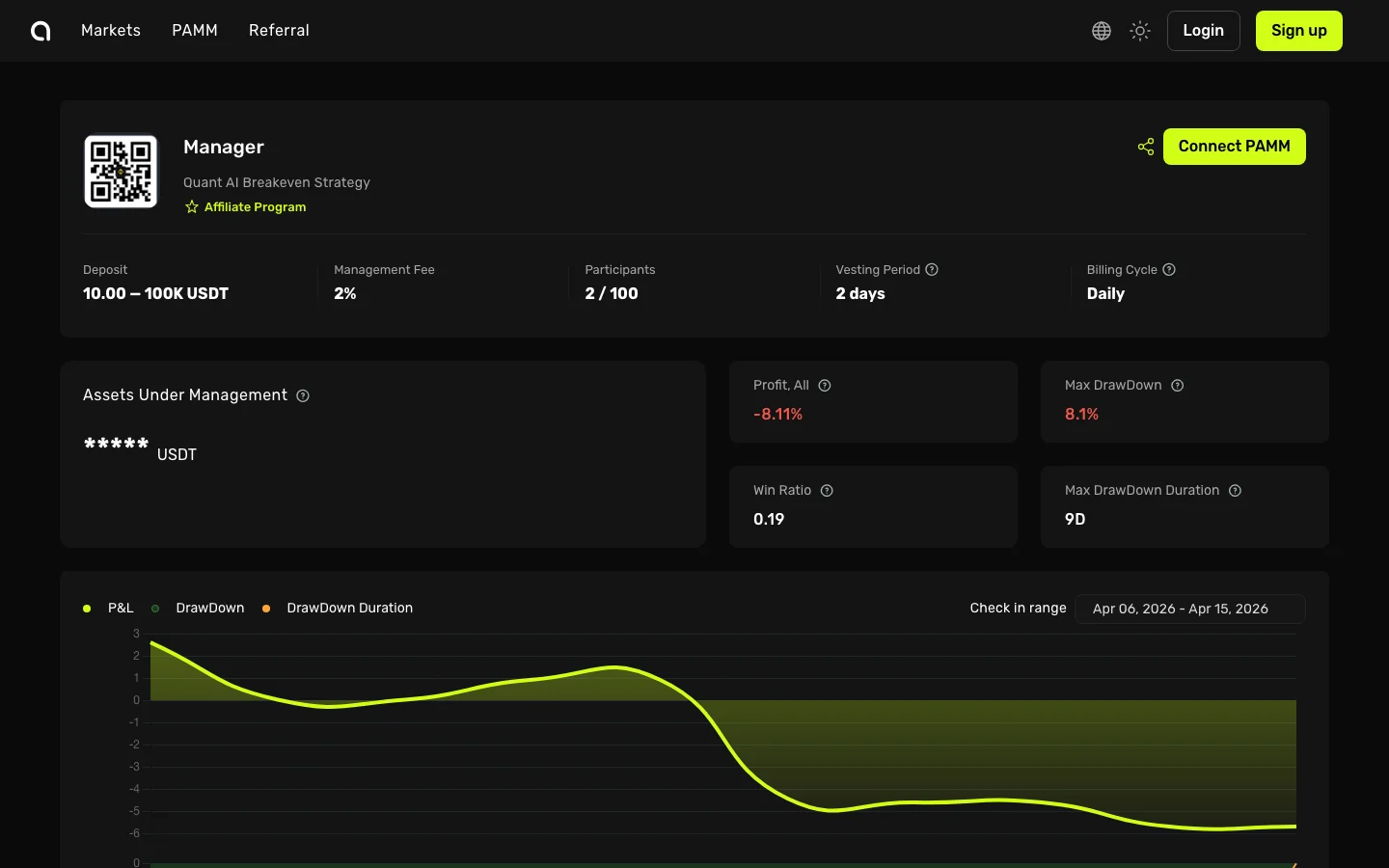
Public Statistics Page
Each PAMM has a shareable URL at /pamm/share/[accountUuid]. This page shows:
- Manager profile — Name, avatar, bio
- Performance chart — PnL over time with selectable date ranges
- Monthly PnL bars — Month-by-month profit and loss breakdown
- Key metrics — AUM, max drawdown, win ratio, trading days
- Account information — Creation date, exchange, trading type
Visibility Controls
As a manager, you control which statistics are visible to the public:
| Setting | Controls |
|---|---|
| Show Balance | Display your AUM (Assets Under Management) |
| Show Profit | Display total P&L |
| Show Max Drawdown | Display maximum drawdown |
| Show Win Ratio | Display win/loss ratio |
| Show Account Info | Display account age, trading days |
| Show Balance Analytics | Display balance growth chart |
| Show Profit Ratio | Display profit ratio charts |
Configure these in your PAMM account settings.
Sharing Your Statistics
- Go to your PAMM account
- Click Share (or copy the share URL)
- The generated link includes your referral code automatically
- Share the link on social media, forums, or directly with potential members
The share URL format: https://amabit.io/pamm/share/[accountUuid]?r=[referralCode]
When someone uses your share link and signs up, you also earn referral commissions.
Date Range Filters
Statistics can be viewed for different time periods:
- All time — Full history since account creation
- Custom range — Select specific start and end dates
- Monthly view — P&L breakdown by month
OG Tags for Social Sharing
When you share your PAMM statistics URL on social media (Twitter, Telegram, Discord), it automatically generates a preview card with:
- Your manager name
- "PAMM on Amabit" branding
- Description of the platform
This makes your shared links look professional and informative.