

Connecting to a PAMM
Connecting to a PAMM means allocating your funds to a manager who will trade on your behalf. The process takes three simple steps.
Prerequisites
- An active Amabit account
- Sufficient balance in your wallet
Step 1: Find a Manager
- Go to the PAMM marketplace
- Browse or search for a manager → Browsing guide
- Click on a manager to view their full profile, statistics, and terms
- Click Connect PAMM to open the connection dialog
Step 2: Review Terms and Enter Amount
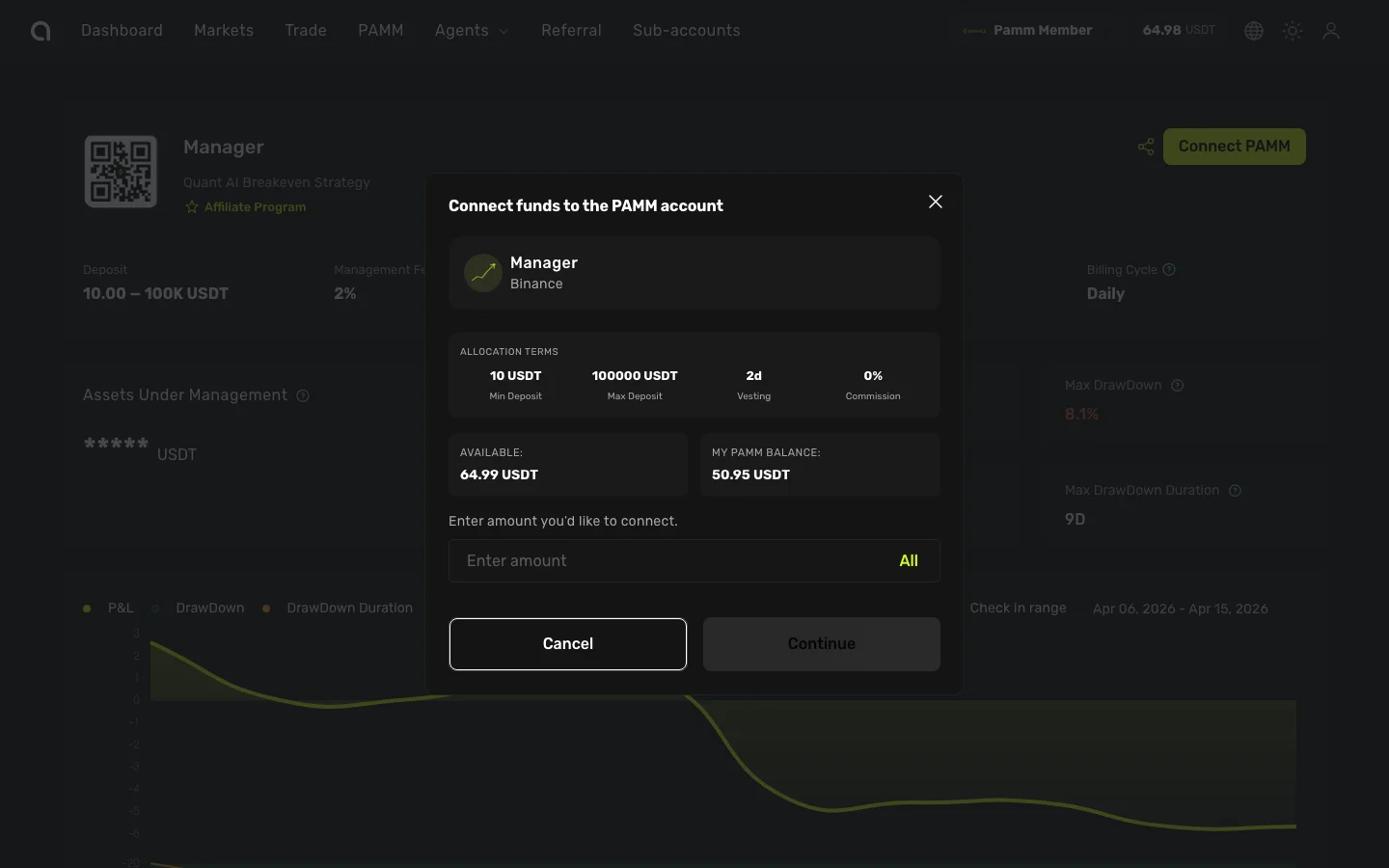
The dialog shows the manager's terms at a glance:
| Field | Description |
|---|---|
| Min Deposit | The smallest amount you can connect |
| Max Deposit | The largest amount per member |
| Commission | Fee percentage and type (Success Fee or Management Fee) |
| Billing cycle | How often commission is settled (Daily, Weekly, Bi-weekly, Monthly) |
| Available balance | Your current wallet balance available for connection |
Enter the amount you want to allocate and click Continue.
Step 3: Verify
- A verification code is sent to your registered email
- Enter the 6-digit code
- If 2FA is enabled, enter your Google Authenticator code as well
- Click Confirm to complete the connection
After Connecting
Once connected:
- Your allocated funds begin working with the manager's trading strategy
- Track your position in the Connected PAMMs section
- Returns are calculated proportionally to your share of the total pool
- The manager's commission is deducted automatically from profits
Important Notes
Vesting Period
If the manager has set a vesting period (e.g., 30 days), you cannot request a withdrawal during this time. The remaining days are displayed on your connected PAMM position.
TIP
Start with a smaller amount to test a manager's performance before allocating more capital.
Can I Connect to Multiple Managers?
Yes. You can connect to as many PAMM managers as you want, distributing your capital across different strategies and risk profiles.