

Creating API Keys
API keys allow you to connect your own trading bots, scripts, and third-party tools to your Amabit account. Trades execute through the Binance API using your broker account.
How to Create an API Key
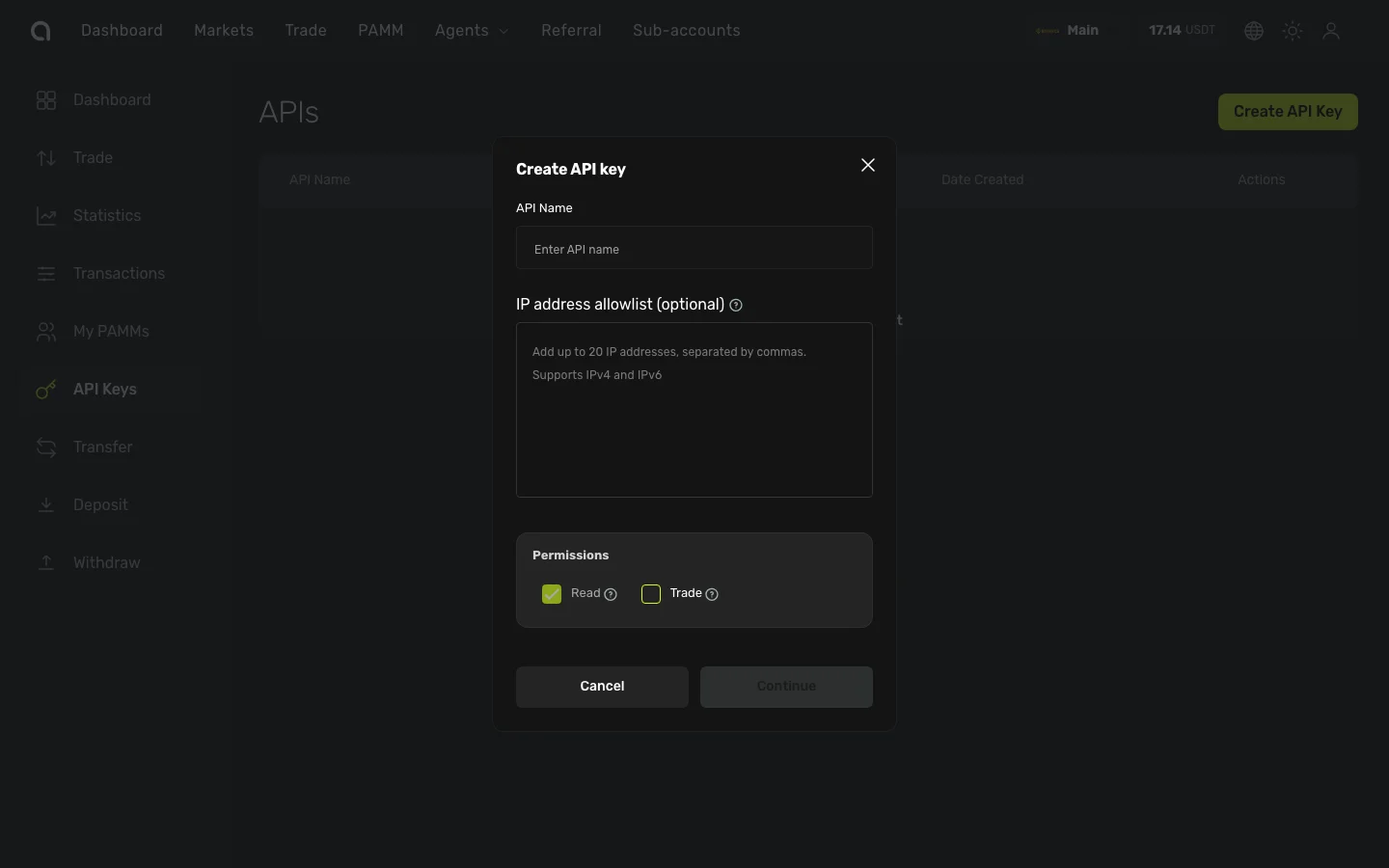
- Go to your account's API Keys page (from the sidebar)
- Click Create API Key
- Fill in the form:
- Click Continue
- Complete email verification and 2FA (if enabled)
- The API key is created
After Creation
Important
The Secret Key is displayed only once during creation. Copy and save it securely. You cannot retrieve it later.
You will see:
- API Key (public key) — Used to identify your requests
- Secret Key — Used to sign your requests (displayed once!)
- You can copy both values using the copy buttons
Managing API Keys
From the API Keys page, you can:
- Edit — Modify label, permissions, or IP allowlist
- Delete — Permanently remove a key
Using Your API Key
Your Amabit API keys are compatible with the Binance API. Use any library or framework that supports the Binance API:
- Python —
python-binance,ccxt - Node.js —
node-binance-api,ccxt - Go —
go-binance