

Sub-accounts
The Sub-accounts page is your overview of all accounts under your Amabit profile. Access it by clicking Sub-accounts in the top navigation or going to amabit.io/subaccounts.
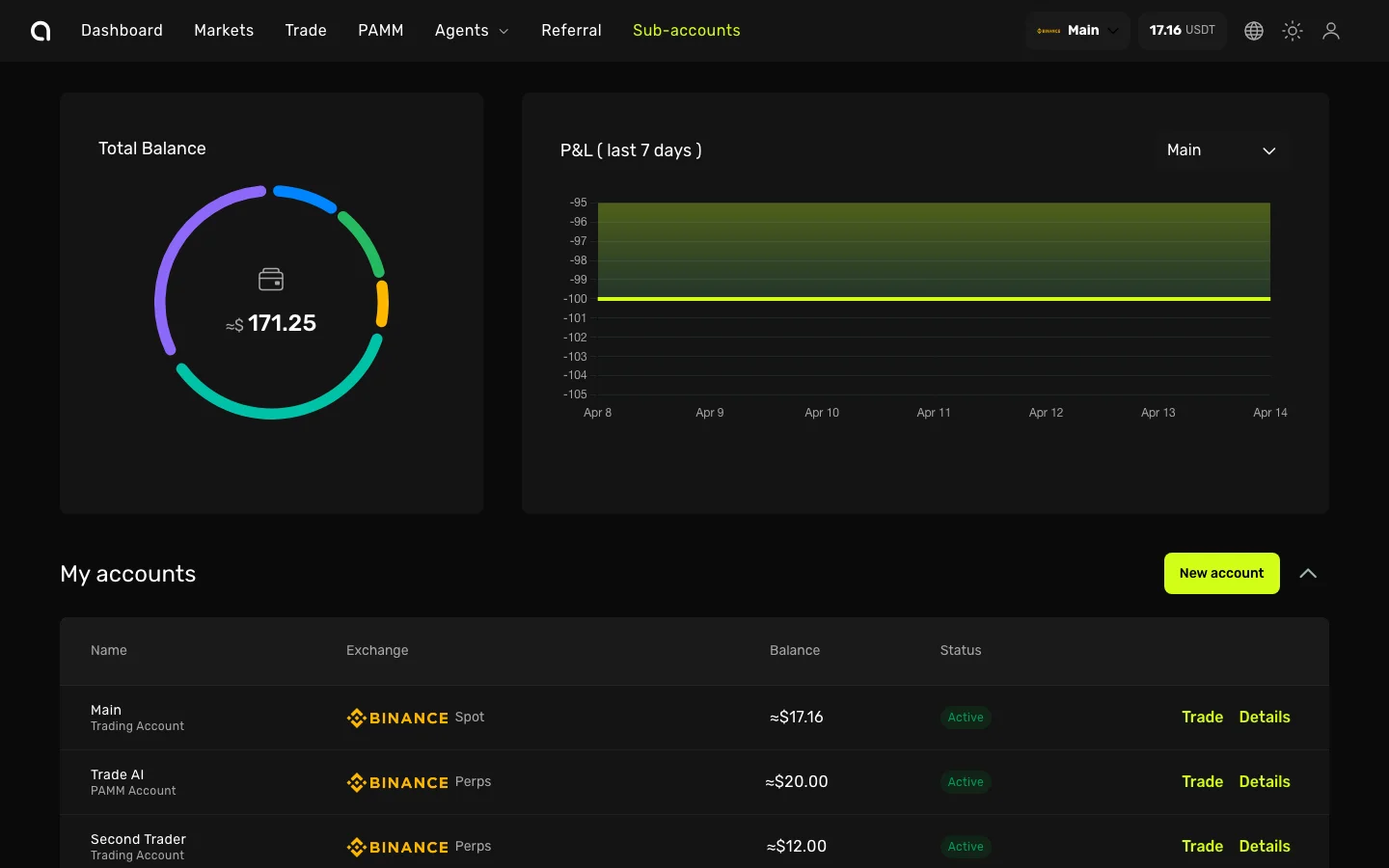
What You See
- Total Balance — Combined value of all your accounts displayed as a donut chart, broken down by account
- P&L (last 7 days) — Performance chart for the selected account over the past week
- My accounts — A table listing all your sub-accounts with:
| Column | Description |
|---|---|
| Name | Account name and type (e.g., "Main — Trading Account", "PAMM Account") |
| Exchange | Connected exchange and market type (e.g., Binance Spot, Binance Perps) |
| Balance | Current balance in USDT |
| Status | Verification status (Active, Not verified) |
| Actions | Trade button to open the terminal, Details to open the account dashboard |
What Is a Sub-account?
Amabit allows you to create multiple sub-accounts within a single profile. Each sub-account is an independent account with its own:
- Balance and crypto assets
- Trading history and open positions
- API keys and webhooks
- Performance statistics
This lets you separate your trading by strategy (e.g., one account for spot, another for futures), or run a PAMM account alongside your personal trading.
Creating a New Sub-account
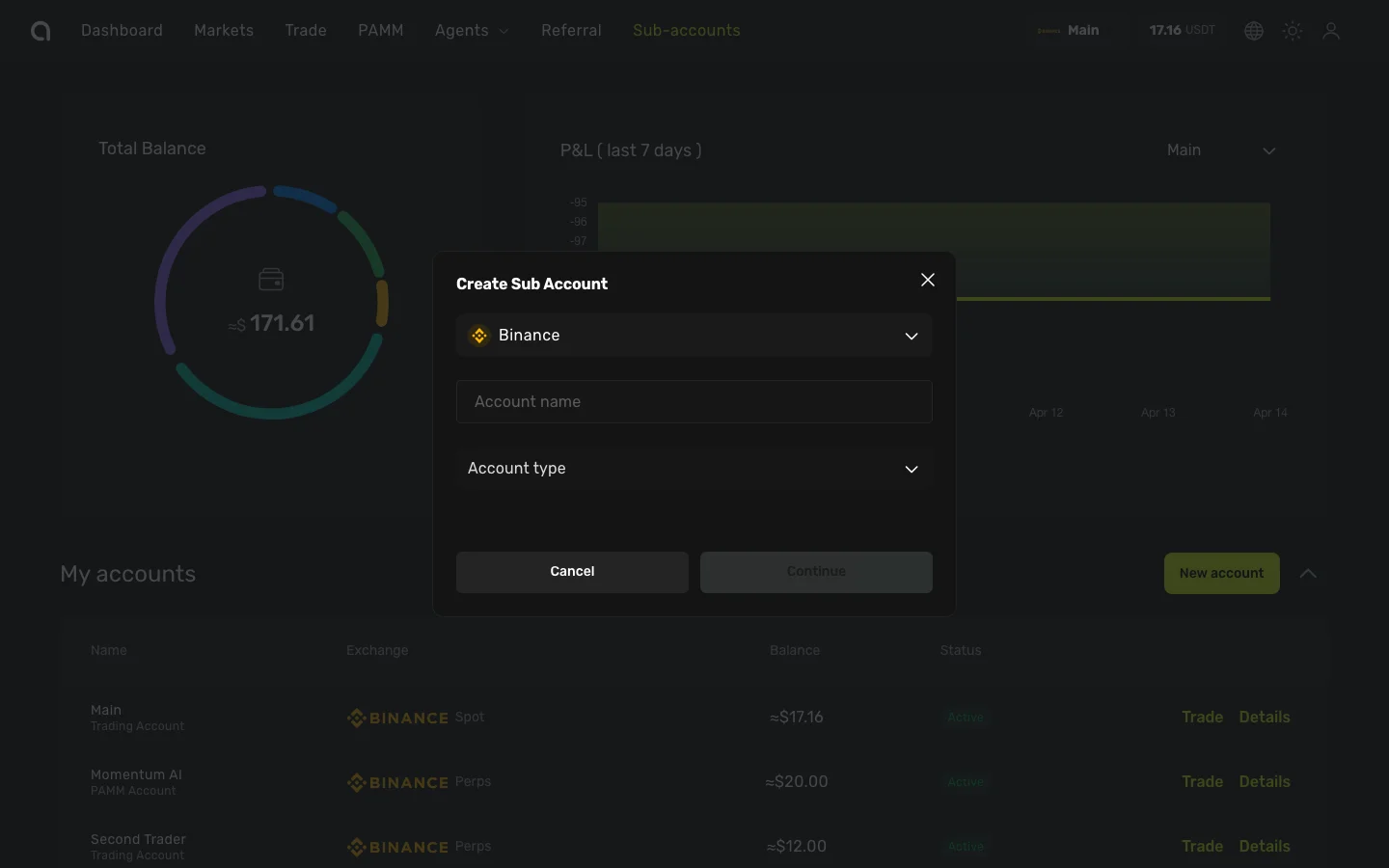
- On the Sub-accounts page, click the yellow New account button
- In the Create Sub Account dialog:
- Exchange — Select the exchange (Binance is pre-selected)
- Account name — Enter a descriptive name (e.g., "Futures Scalper", "Long-term Spot")
- Account type — Choose from the dropdown:
- Trader — Standard trading account for spot and futures
- PAMM — Account for managing other users' capital (learn more)
- Click Continue to create the account
The new account appears in the list. You'll need to deposit funds or transfer from another account before trading.
Account Types
| Type | Purpose |
|---|---|
| Trader | Personal trading on spot and futures markets |
| PAMM | Managing capital on behalf of connected members |
Detailed comparison of account types →
Navigating to an Account
Click Details next to any account to open its Account Dashboard — where you can view assets, trade, manage API keys, and more.