

How to Deposit Funds
Depositing funds on Amabit means sending cryptocurrency from an external wallet to your Amabit account. Your funds are stored securely on Binance.
Step 1: Select Currency
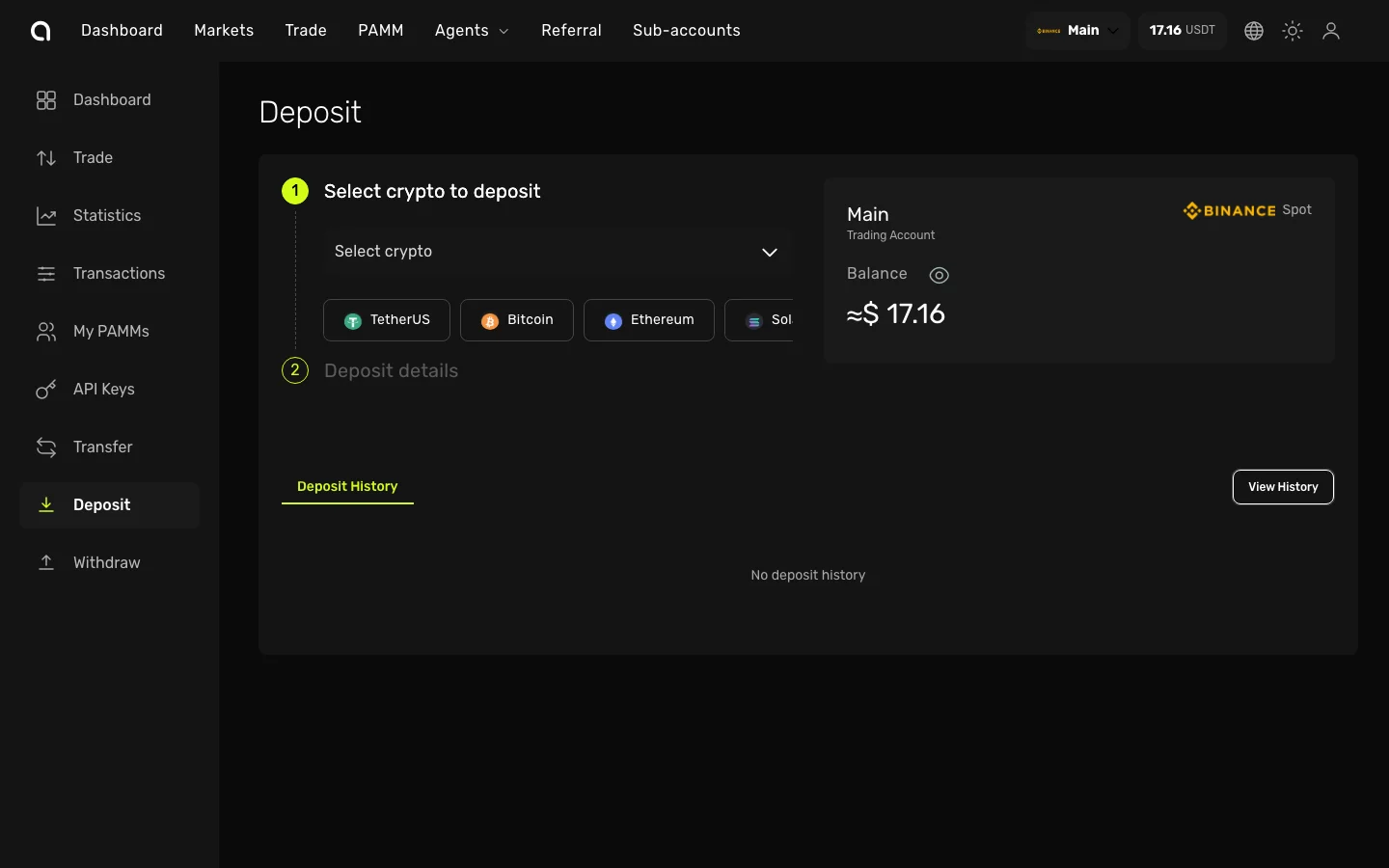
- Open the Account Dashboard for the account you want to fund
- Click Deposit in the left sidebar
- In the Select crypto dropdown, choose the cryptocurrency you want to deposit (e.g., USDT, BTC, ETH)
- Popular currencies are shown as quick-select buttons below the dropdown for faster access
Step 2: Select Network
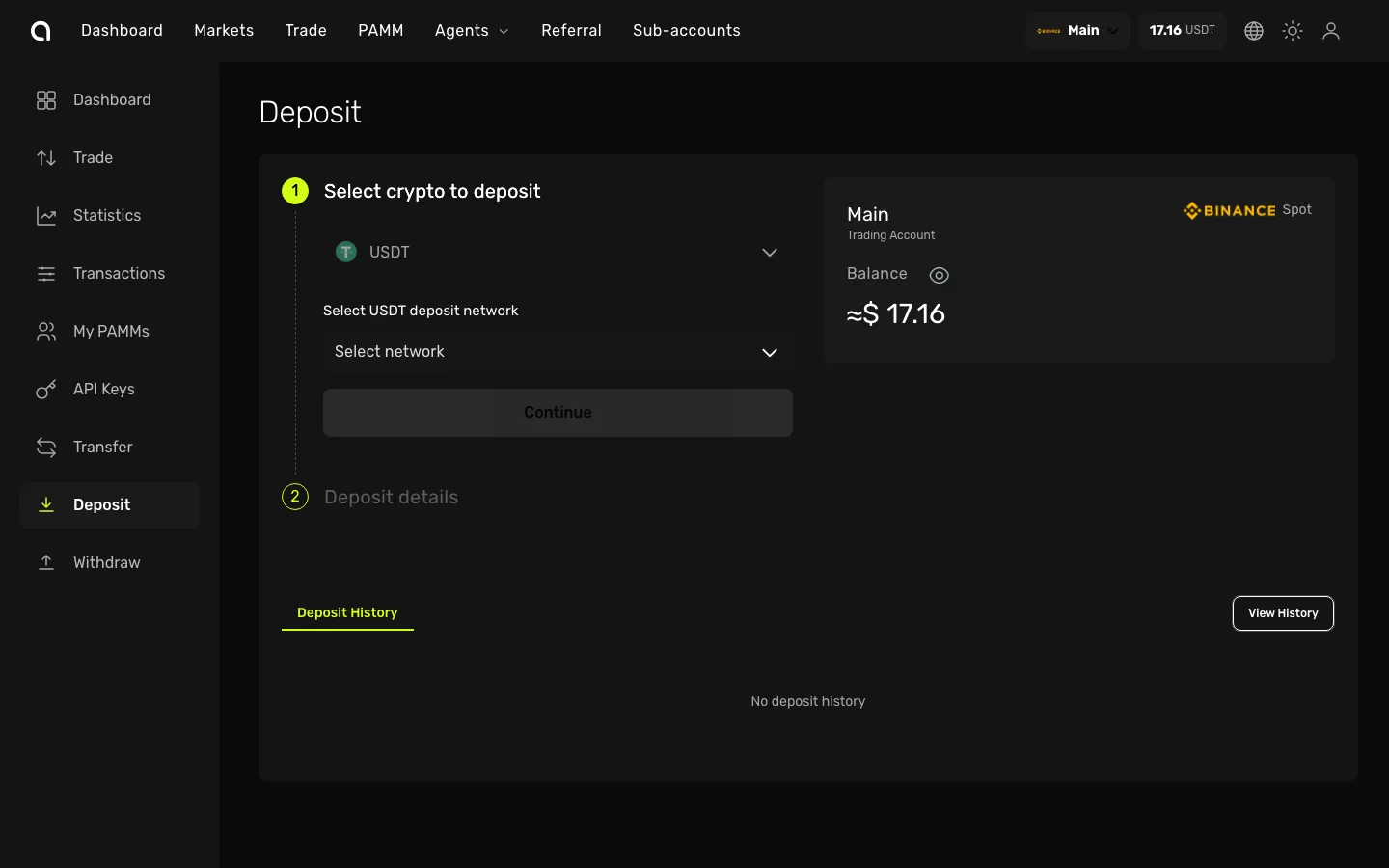
After selecting a currency:
- The Select network dropdown appears — choose the blockchain network you will send from (e.g., Tron/TRC-20, Ethereum/ERC-20, BSC/BEP-20)
- Click the green Submit button to proceed
Critical
Always make sure the network you select on Amabit matches the network you are sending from. Sending funds on the wrong network may result in permanent loss of your assets.
Step 3: Get Your Deposit Address
After selecting the currency and network:
- Your unique deposit address is displayed on screen
- Click the copy button to copy the address to your clipboard
- If the network requires a Tag, Memo, or Comment (e.g., XRP, XLM), it will be shown separately — you must include it when sending
- A QR code is also provided for easy scanning from mobile wallets
Step 4: Send Funds
- Open your external wallet or exchange
- Start a withdrawal/send to the Amabit deposit address you copied
- Paste the exact address (and Tag/Memo if required)
- Double-check the network matches
- Confirm the transaction in your external wallet
Step 5: Wait for Confirmation
- Deposits require blockchain confirmations before they are credited
- Track your deposit status in the Deposit History section at the bottom of the page
- Click View History to see all past deposits
Deposit Details
- Minimum deposit amount — Deposits below this amount will not be credited (shown on the deposit page)
- Deposit fees — Amabit does not charge deposit fees; only network fees from the sending side apply
- Confirmation time — Varies by network (TRC-20 is typically 1–5 minutes, ERC-20 may take 5–15 minutes)
FAQ
How long does a deposit take?
It depends on the blockchain network and current congestion. TRC-20 (USDT) is typically the fastest at 1–5 minutes.
What is the minimum deposit?
Minimum deposit amounts vary by currency and network. The amount is displayed on the deposit page after you select a currency and network.
I sent funds but they haven't appeared yet
- Check the transaction status on a blockchain explorer
- Verify you sent to the correct address and correct network
- Ensure the amount meets the minimum deposit requirement
- Wait for the required number of blockchain confirmations