

KYC Verification
KYC (Know Your Customer) verification is a one-time identity check required before you can start trading on Amabit. As an officially licensed Binance broker, Amabit follows regulatory requirements to ensure the safety of all users.
How to Complete KYC
Step 1: Start Verification
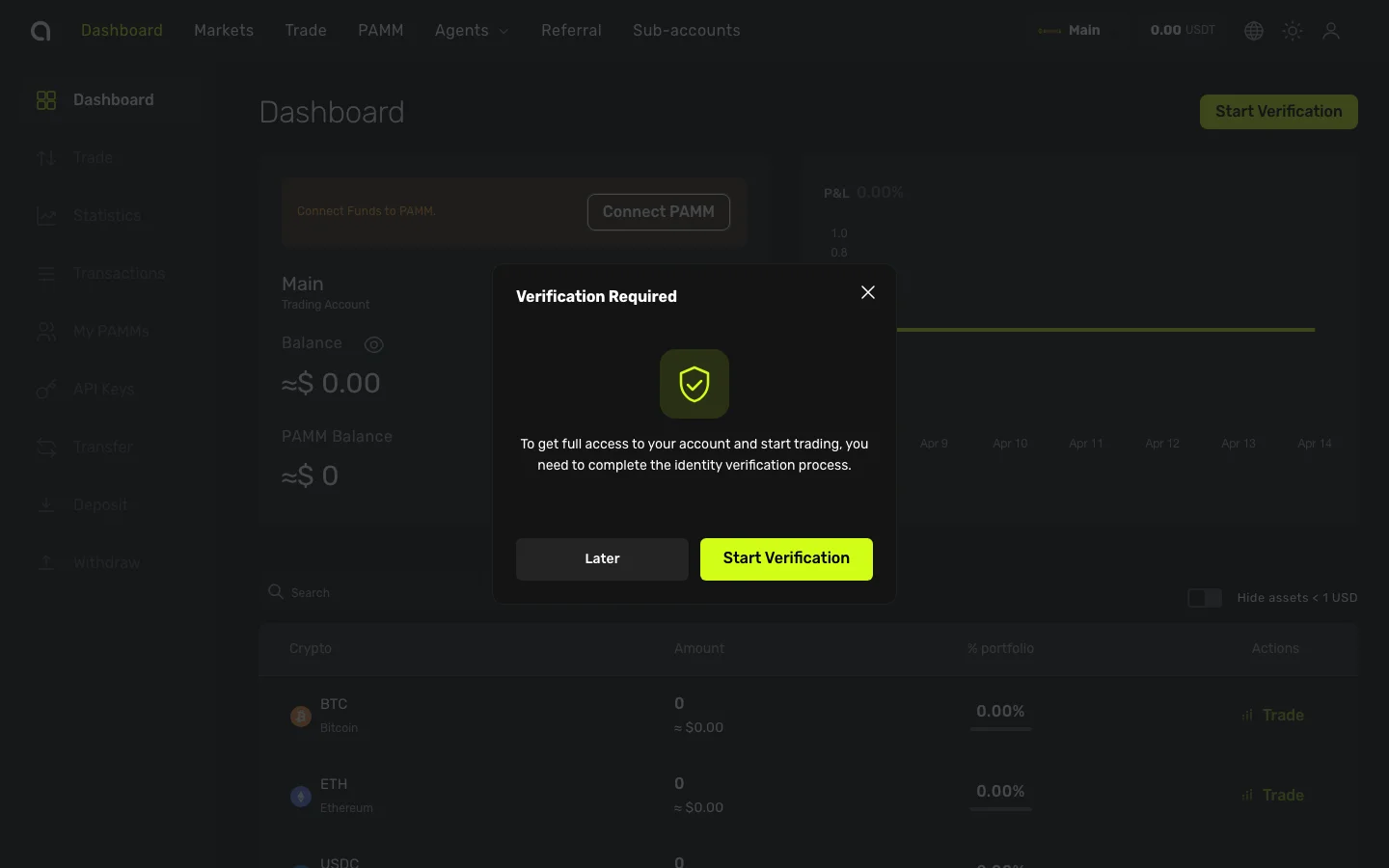
- Log in to your account at amabit.io/auth/login
- After login, you will be redirected to the Dashboard where a "Verification Required" dialog appears automatically
- The dialog says: "To get full access to your account and start trading, you need to complete the identity verification process."
- Click the yellow Start Verification button to begin (or click Later to skip for now)
TIP
You can also start verification later from the Dashboard — unverified accounts show a Start Verification button in the accounts table, or a button in the top-right corner.
Step 2: Complete the Verification Form
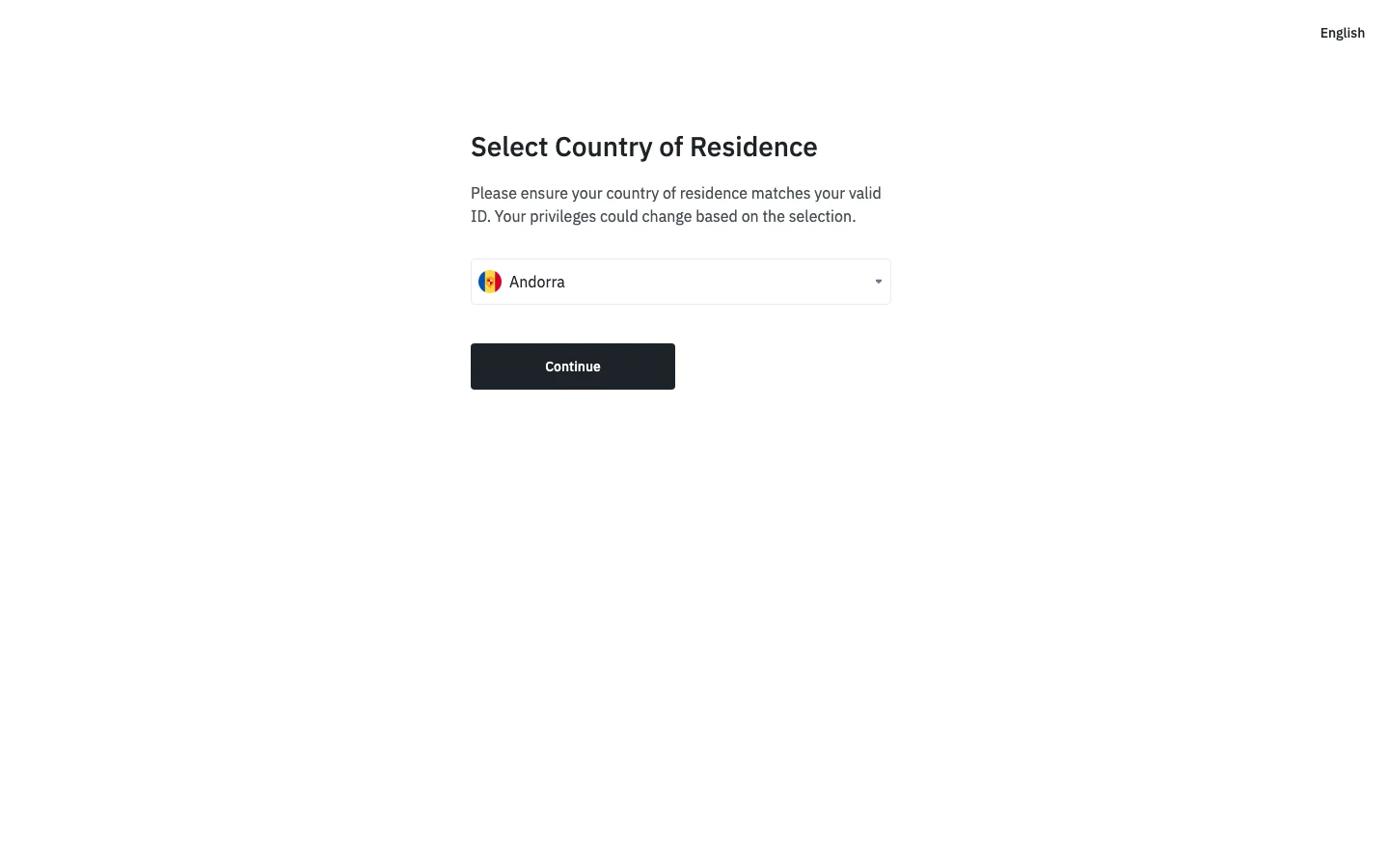
A new tab will open with the identity verification form:
- Select your country of residence from the dropdown — make sure it matches your ID document
- Click Continue
- Follow the on-screen instructions to:
- Choose your document type (passport, national ID card, or driver's license)
- Upload clear photos of your document (front and back if required)
- Complete a selfie verification if prompted
- Submit the form and wait for the review
Step 3: Wait for Verification
After submitting your documents, return to the Amabit Dashboard. Your account status will update automatically:
| Status | Meaning |
|---|---|
| Not Verified | You haven't submitted documents yet |
| Processing | Your documents are being reviewed — this usually takes a few minutes |
| Active | Verification is complete — you can start trading |
| Failed | Verification was rejected — click Start Verification again to resubmit |
Requirements
- A valid government-issued ID — passport, national ID card, or driver's license
- Clear, readable photos of the document — no blur, glare, or cut-off edges
- Selfie — you may be asked to take a photo of yourself for comparison
- Your country of residence must match the country that issued your ID
After Verification
Once your account status changes to Active, you can:
- Trade on spot and futures markets via the Trading Terminal
- Deposit and withdraw funds
- Create API keys and webhooks
- Connect to PAMM managers or create your own PAMM account
INFO
Verification applies to your user profile, not individual sub-accounts. Once verified, all your sub-accounts inherit the verified status.
FAQ
How long does verification take?
In most cases, verification is completed within a few minutes. During peak times it may take up to a few hours.
My verification was rejected — what should I do?
Go back to the Dashboard, click Start Verification again, and resubmit your documents. Common reasons for rejection include blurry photos, expired documents, or mismatched country selection.
Do I need to verify each sub-account separately?
No. KYC verification is done once per user profile. All sub-accounts under your profile will be verified automatically.