

PAMM Withdrawal Requests
When you want to take funds out of a PAMM manager's pool, you submit a withdrawal request. The manager then reviews and processes your request.
How to Request a Withdrawal
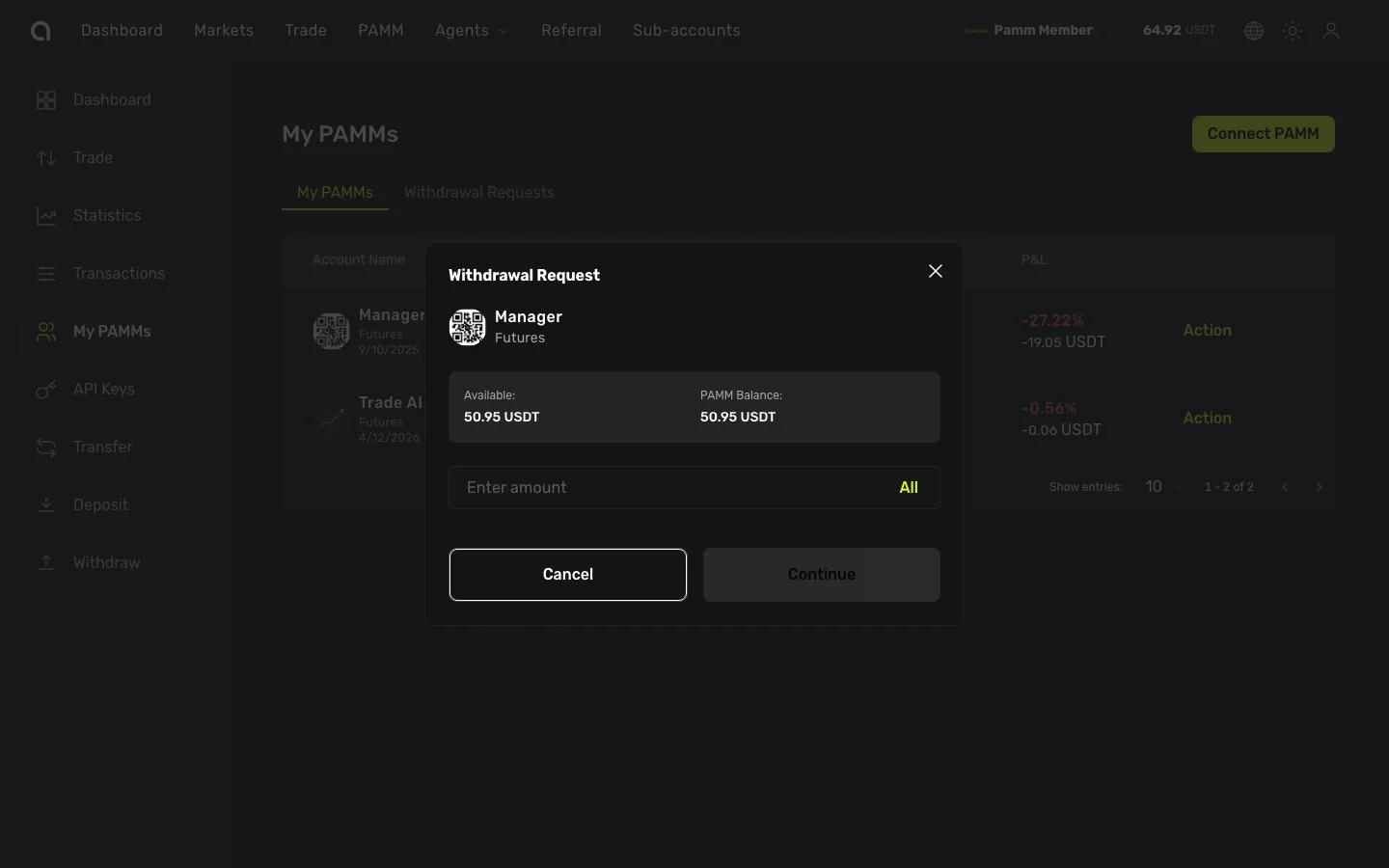
- Go to My PAMMs page
- Find the PAMM you want to withdraw from and click Action
- Select Request Withdrawal
- The dialog shows your Available balance and PAMM Balance
- Enter the amount you want to withdraw (or click All to withdraw everything)
- Click Continue
- Complete email verification and 2FA (if enabled)
- Confirm the request
Withdrawal Limits and Rules
Each PAMM manager sets their own withdrawal terms:
| Rule | Description |
|---|---|
| Vesting Period | A lock-up period after connecting (e.g., 30 days). You cannot withdraw during this time. The remaining days are shown in your position. |
| Max Requests per 24h | Maximum number of withdrawal requests you can submit in 24 hours |
| Amount Limit | Maximum amount per withdrawal request |
| Auto-Processing Limit | Requests below this amount may be processed automatically without manual review |
Request Statuses
| Status | Meaning |
|---|---|
| Pending | Submitted, waiting for manager review |
| Accepted | Manager approved the withdrawal — funds are being returned |
| Rejected | Manager rejected the request (may include a note explaining why) |
| Cancelled | You cancelled the request before it was processed |
Available Balance
Your available withdrawal balance is calculated as:
Available = Current Position Value − Pending Withdrawal Requests
If you already have pending requests, they reduce the amount available for new requests.
After the Manager Responds
- Accepted — Funds are returned to your wallet balance
- Rejected — Your funds remain in the PAMM. The manager may provide a reason. You can submit a new request if needed.
Withdrawal History
View all your past and current withdrawal requests in the Withdrawal Requests tab, showing:
- Request amount
- Status (Pending / Accepted / Rejected / Cancelled)
- Manager's note (if any)
- Submission date
Tips
- Check the vesting period before connecting — you won't be able to withdraw during this time
- Don't withdraw impulsively during short-term drawdowns if you trust the manager's long-term strategy
- If a request is rejected without explanation, consider reaching out to the manager through their public profile